
Allowing customers to remove all items from an order in Customer Portal
In your Customer Portal settings, you can enable an option that lets your customers remove all items from their order, leaving the order empty instead of canceling it. This feature gives your customers more flexibility in managing their orders while giving you control over cancellations. This is disabled by default.
Allow customers to remove all items from an order
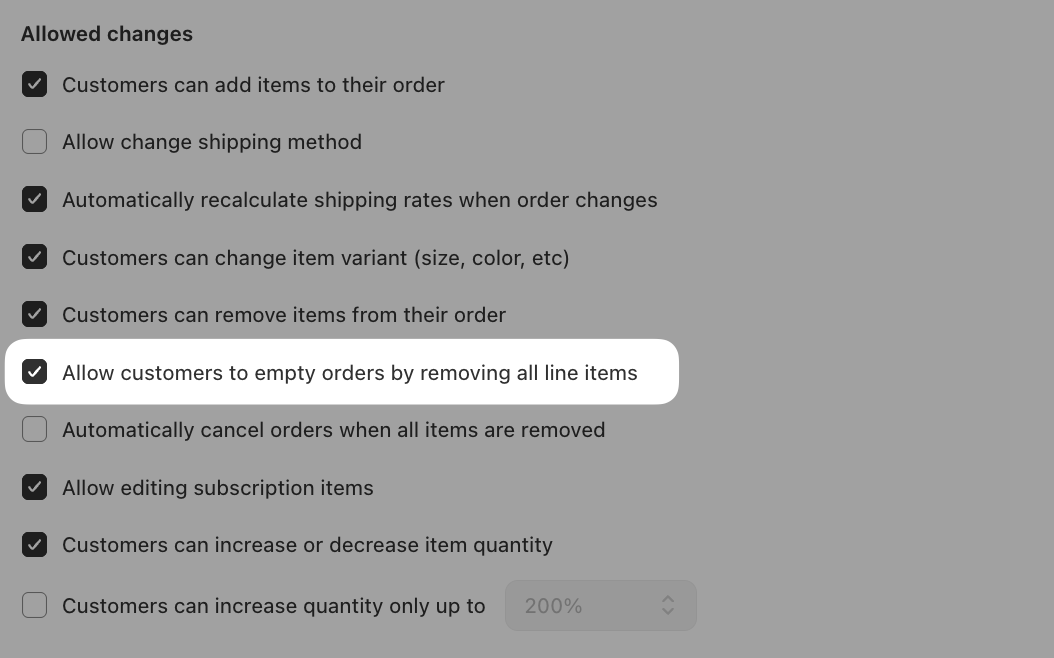
When enabled, customers will be able to remove every item from their order. The order will remain active but contain no items, rather than being canceled.
Steps
- From your Shopify admin, navigate to Apps > Cleverific Order Editor.
- In the nav menu, click Customer Portal to open your Customer Portal settings.
- In the Customize order editing section, go to Allowed changes.
- Check the box next to Allow customers to empty orders by removing all line items.
- Click Save in the top bar.
Note: If you’d like to prevent customers from canceling their orders altogether, disable the cancellation option so customers can only remove items instead.
Refunds
Refunds will not process automatically when an order is emptied. Refunds can still be issued manually via Shopify as needed.
Note: If you'd like refunds to be automatically issued after edits, reach out to support@cleverific.com and we'll enable this feature for you!
Learn more about automatic refunds upon order edits in Customer Portal here
Automatically cancel orders when all items are removed
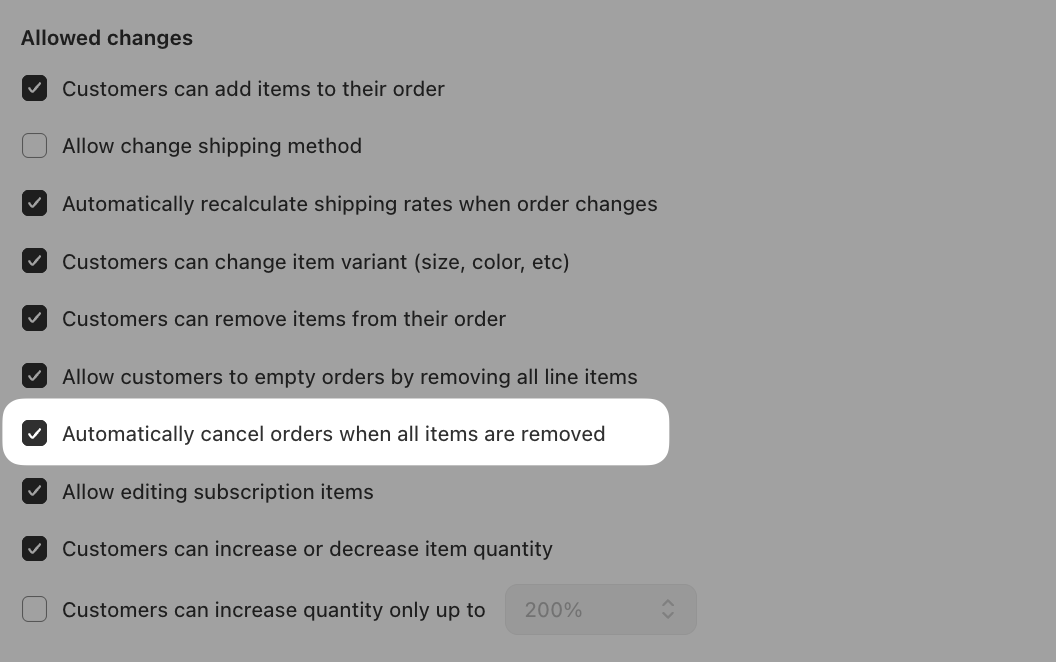
If you'd like emptied orders to be canceled automatically, you can enable an additional setting in Customer Portal. When active, removing all items from an order will trigger an automatic cancellation in Shopify once the order total reaches $0.
This setting is only available when Allow customers to empty orders by removing all line items is also enabled.
Enable automatic cancellation of emptied orders
- Follow the steps above to enable Allow customers to empty orders by removing all line items.
- Check the box next to Automatically cancel orders when all items are removed.
- Click Save in the top bar.
Refunds will be automatically issued upon order cancellation when this setting is enabled alongside Allow customers to empty orders by removing all line items.
Note: If Allow customers to empty orders by removing all line items is disabled, the automatic cancellation checkbox will be grayed out and unavailable.
Any questions? Reach out to us at support@cleverific.com