
Troubleshooting: Klaviyo Template not updating
If you update the copy in a Klaviyo email template and don't see the changes in the email received after the flow runs, the flow may not have registered the template change. To fix this, you can remove and re-add the template within the flow. This article will show you how.
Update your email template in your Klaviyo flow
Steps
- Open your flow in Klaviyo.
-
Click on the Email action in the flow where the issue is occurring, and select Delete.
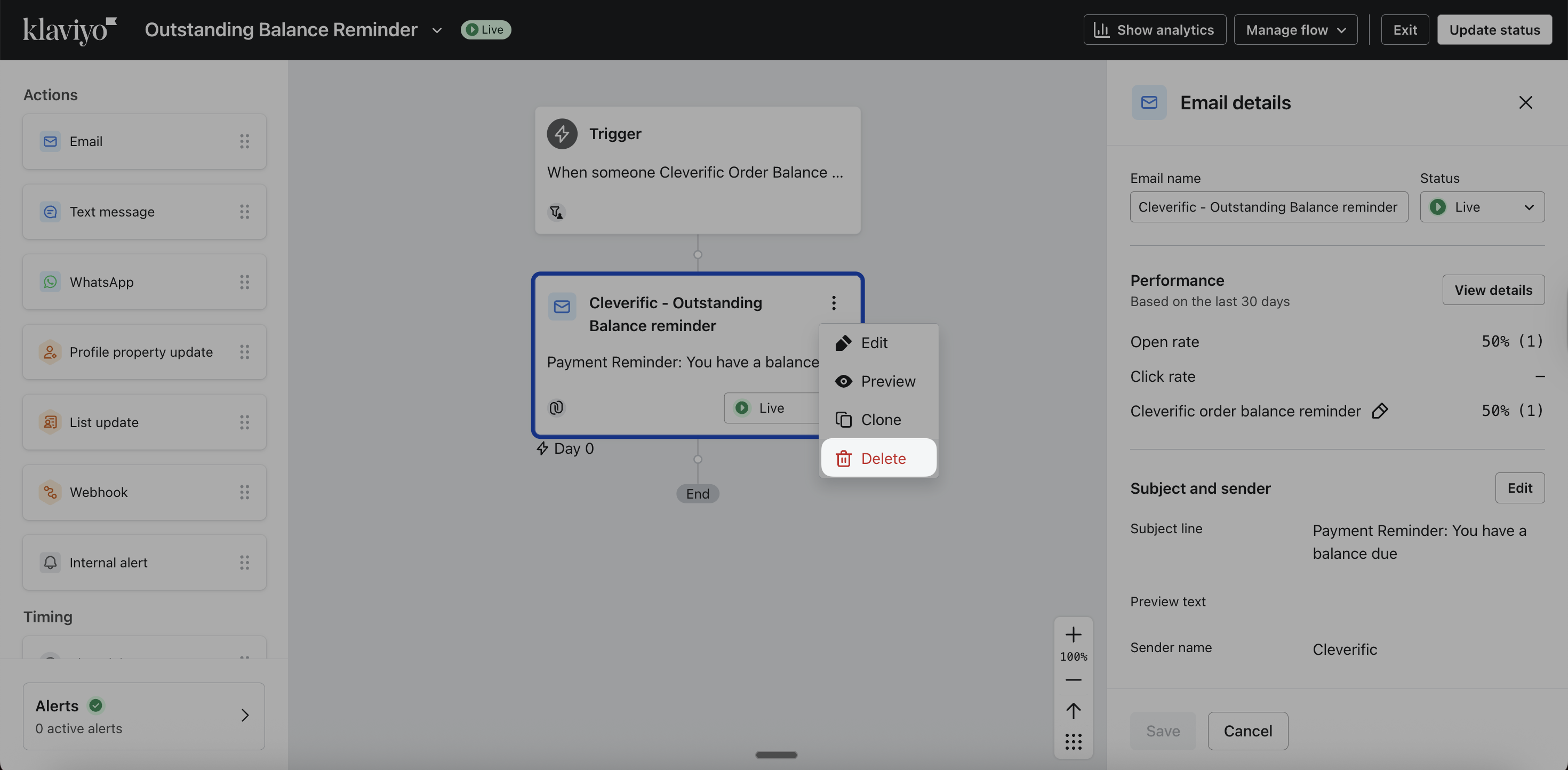
- Click the Delete email button

- Drag the Email block under your Trigger.

- In the Template section, click Select template and reselect the same template you were using that has been updated.

- Click Use Template to confirm.

- Before resending the email, navigate to the Settings on the email action and eselect Skip recently emailed profiles to ensure the updated email reaches all intended recipients.

- Click Review and turn on, set the Flow status to Live, and click Save.
Notes
- Removing and re-adding the template forces Klaviyo to pull in the latest version of your template content.
- The Skip recently emailed profiles setting can be useful for regular flow operations, but should be disabled for flows with Cleverific-based triggers.