
Generating upsell recommendations from your sales
Cleverific can analyze your order history to find which products your customers buy together, then draft post-purchase funnels based on those patterns. You review the suggestions and activate the ones you want.
Before you start
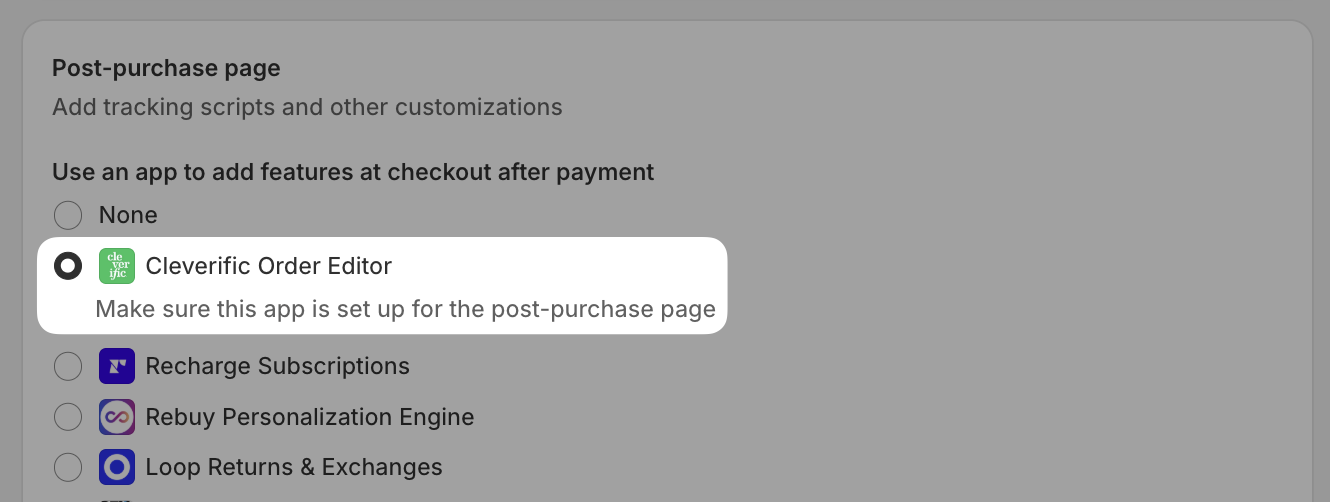
Make sure Cleverific is set as your post-purchase app in Shopify:
- From your Shopify admin, go to Settings > Checkout.
- Scroll to the Post-purchase page section.
- Select Cleverific.
Generate recommendations
Steps
- From your Shopify admin, go to Apps > Cleverific.
- Click Upsells in the nav menu.
- Click Generate recommendations.

If you see "Analytics access required," click Grant access and approve the Shopify's permission. The generation will start once access is granted.
- You will see 5 upsells funnels created in a draft status
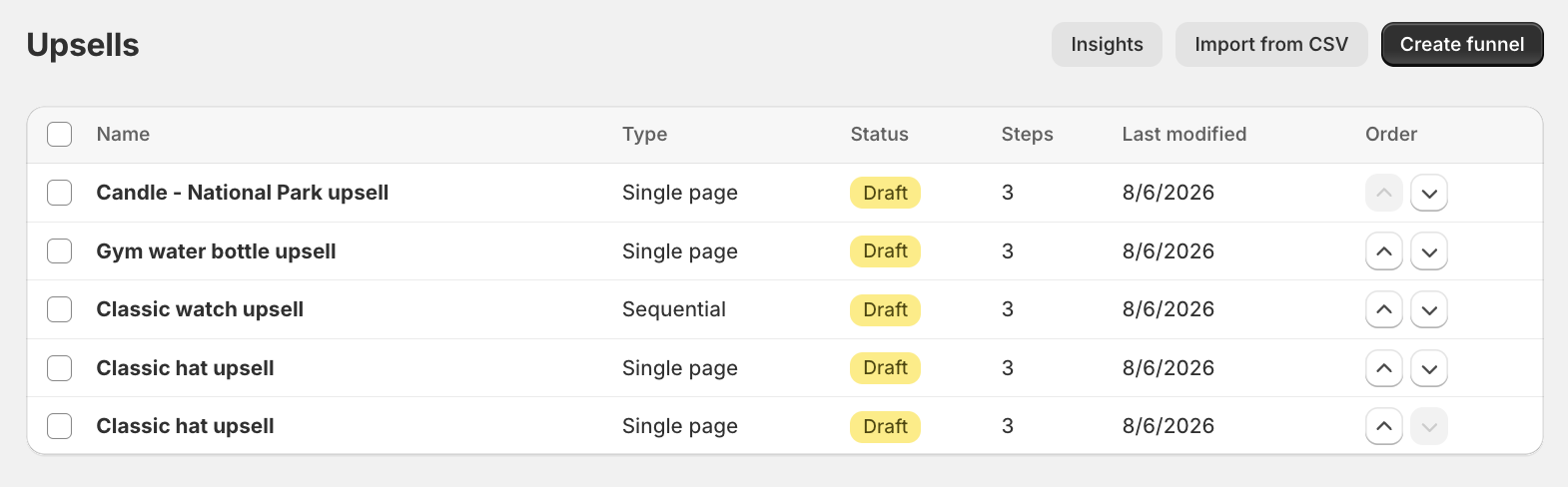
- You can review each one of them and make any changes.
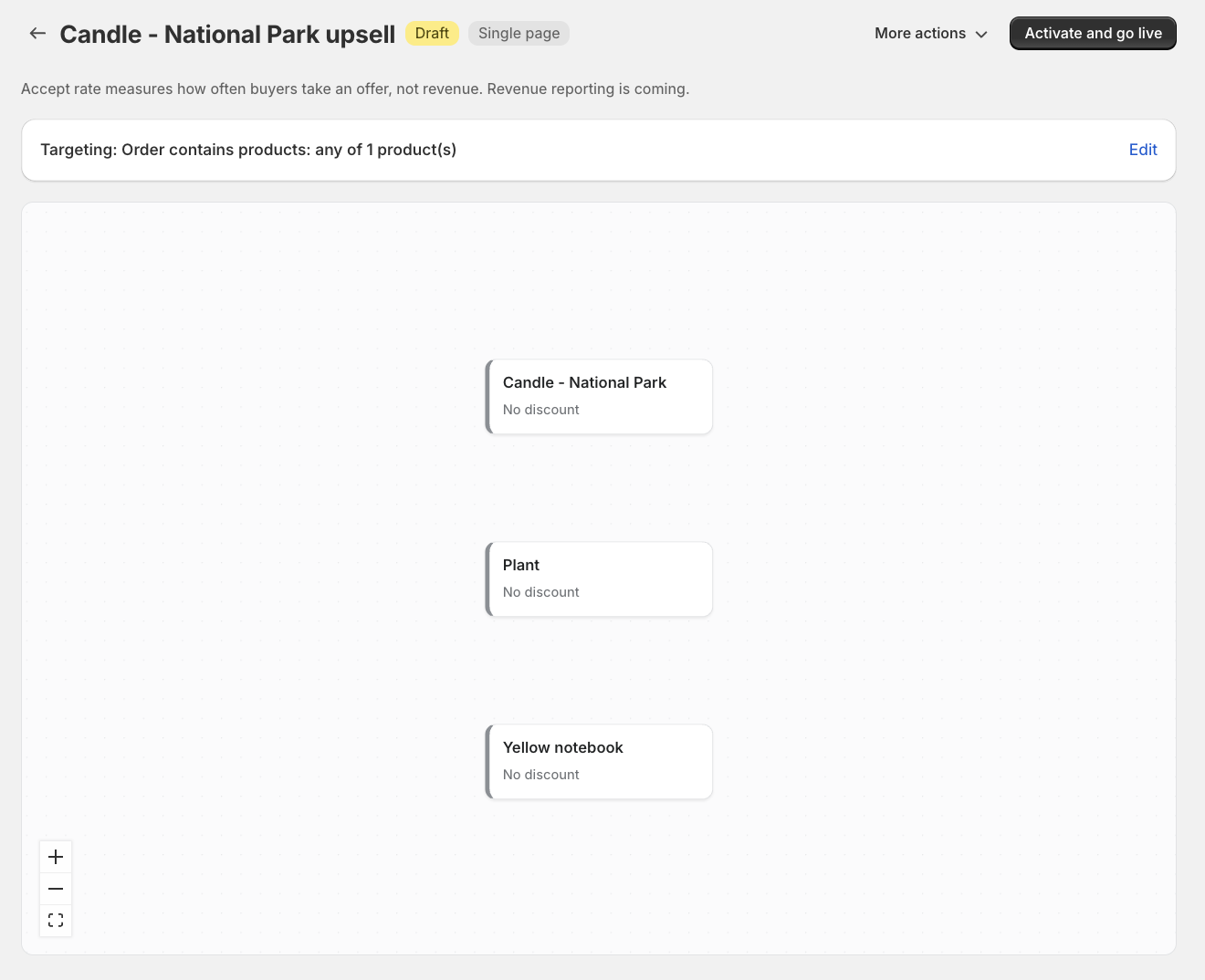
- When you're ready, click Activate and go live.
Note: You can pause or archive your funnels anytime but can't delete them entirely.
Need help setting up your upsells funnels? Send us an email at support@cleverific.com.