

Checking your inventory health for post-purchase offers
Updated today
In Cleverific, the Inventory health page shows whether your post-purchase offers are being checked against current stock, so a product that just sold out isn't offered to customers. Real-time stock updates are disabled by default and need to be enabled once from this page.
Enable real-time stock updates
Go to Apps > Cleverific.
From the nav menu, click Settings.
Click the Inventory health tab.
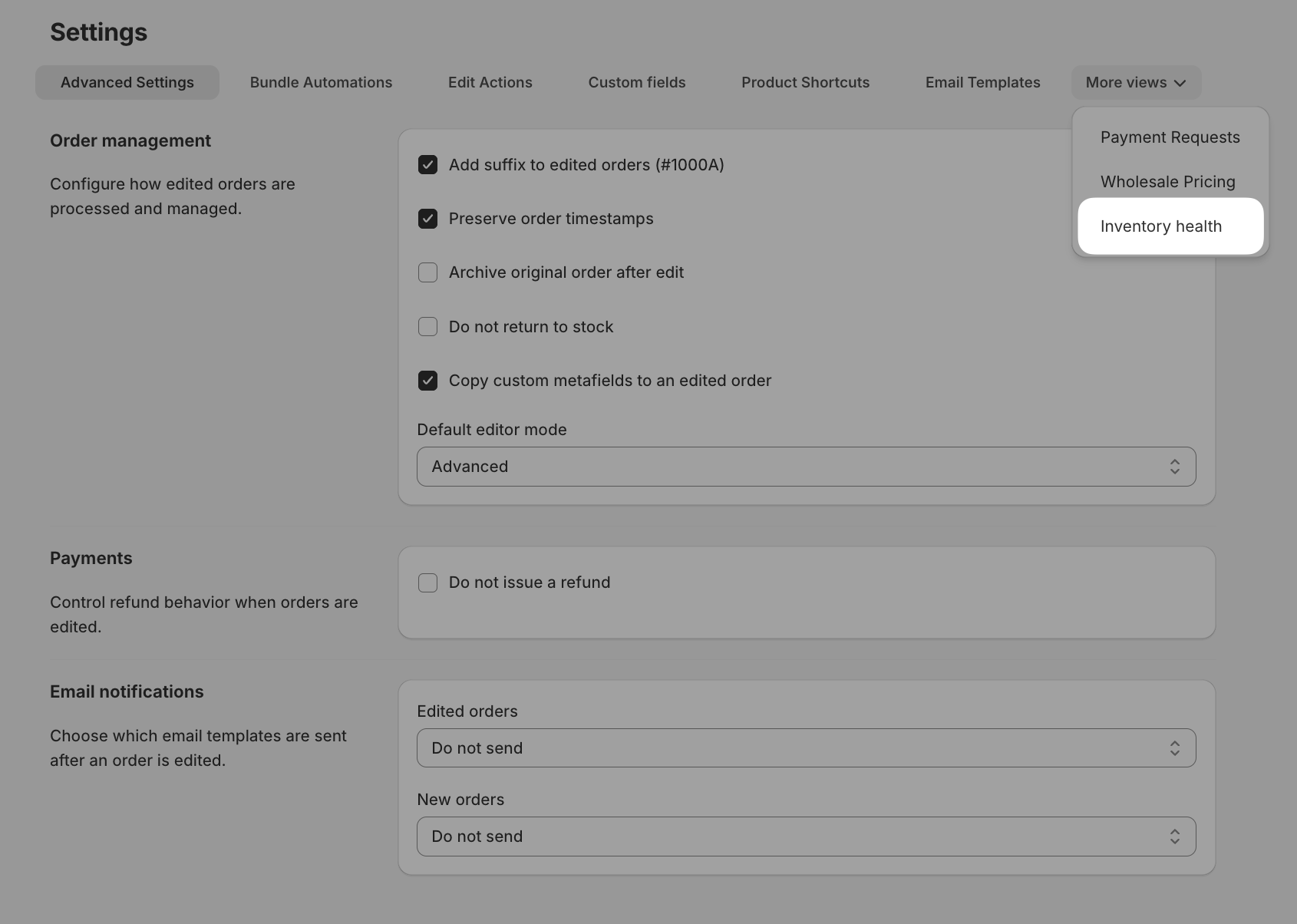
Click Enable real-time updates.
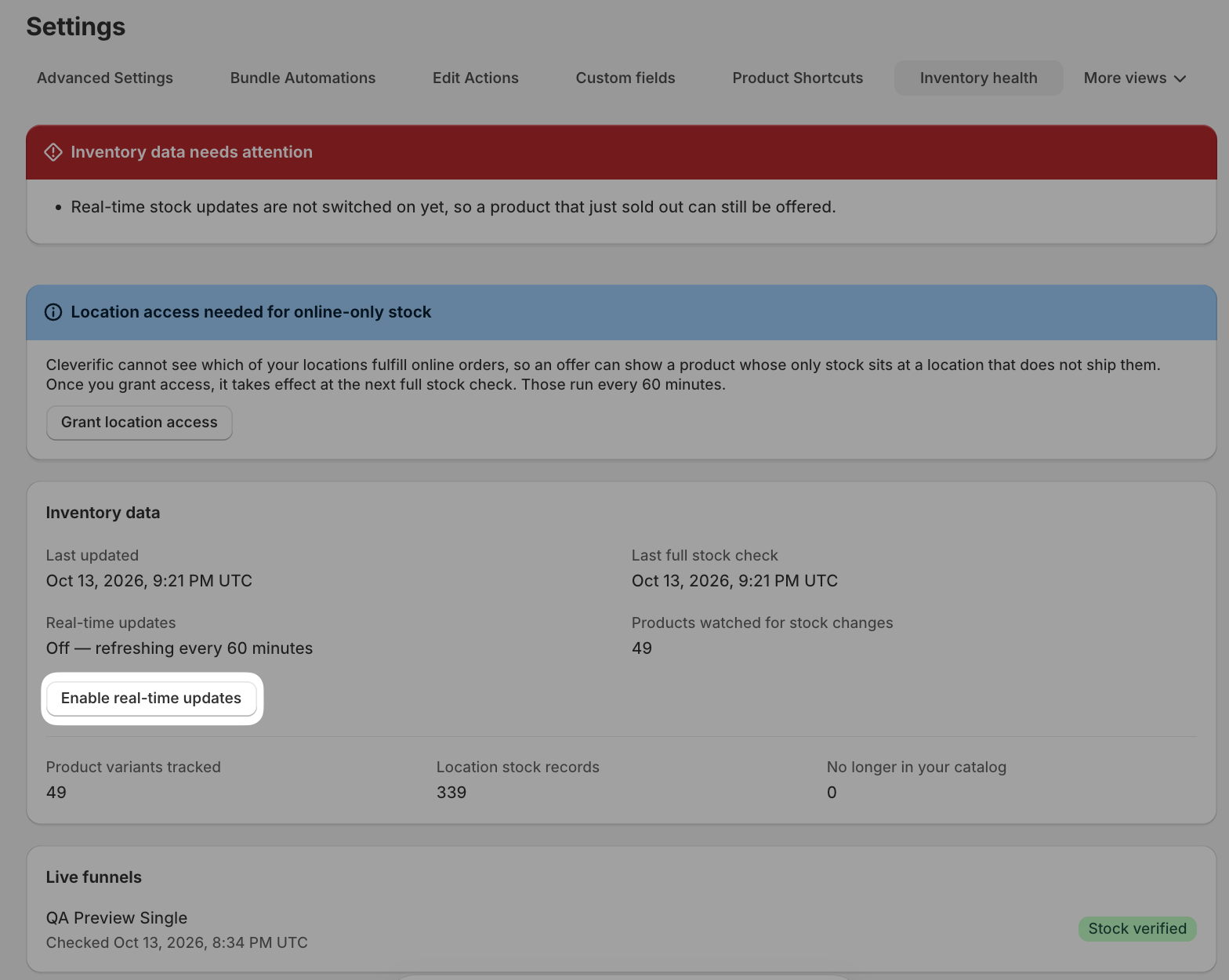
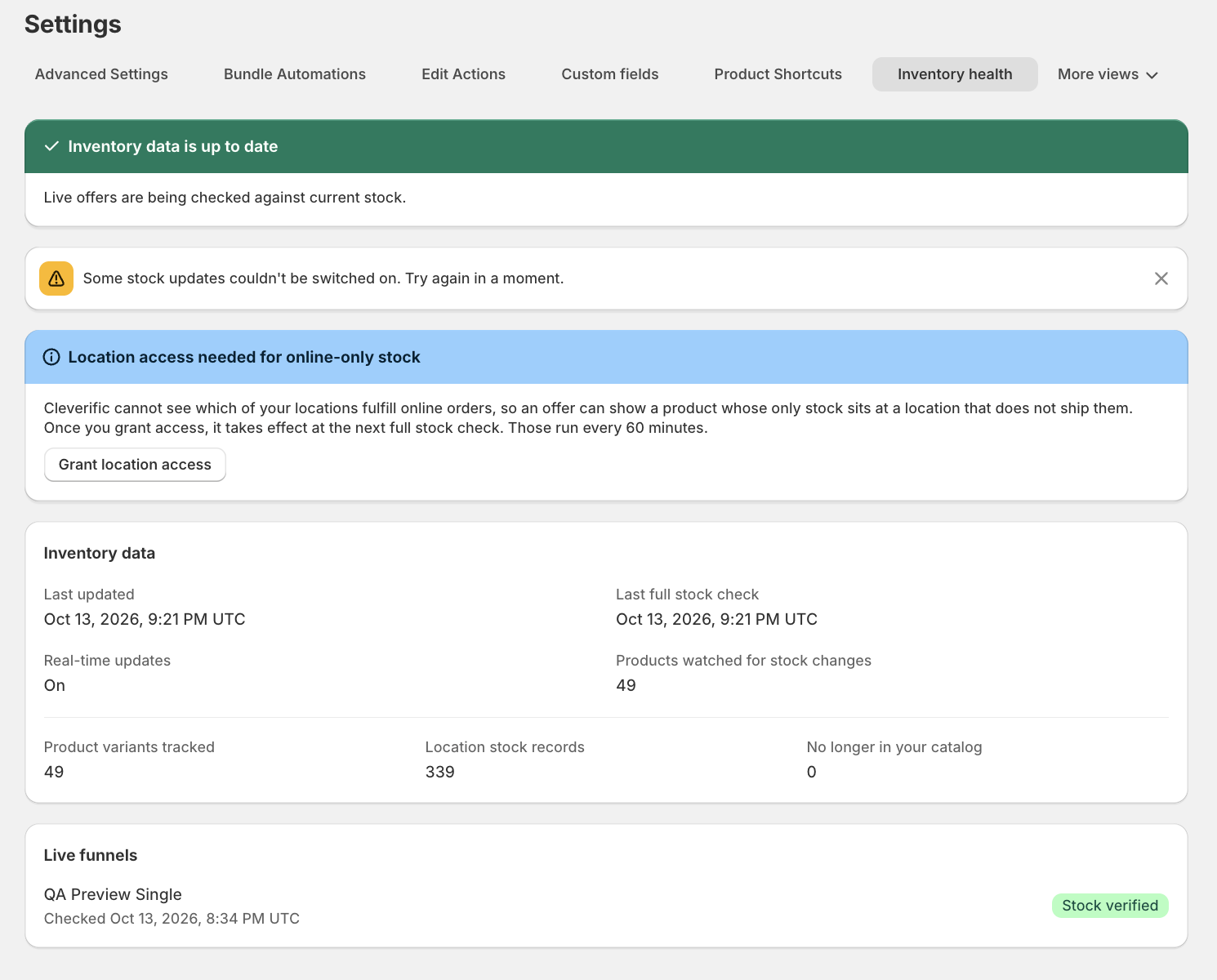
Real-time updates change to On and the banner turns green, without reloading the page. Until then, the page reads Off and stock levels refresh every 60 minutes.
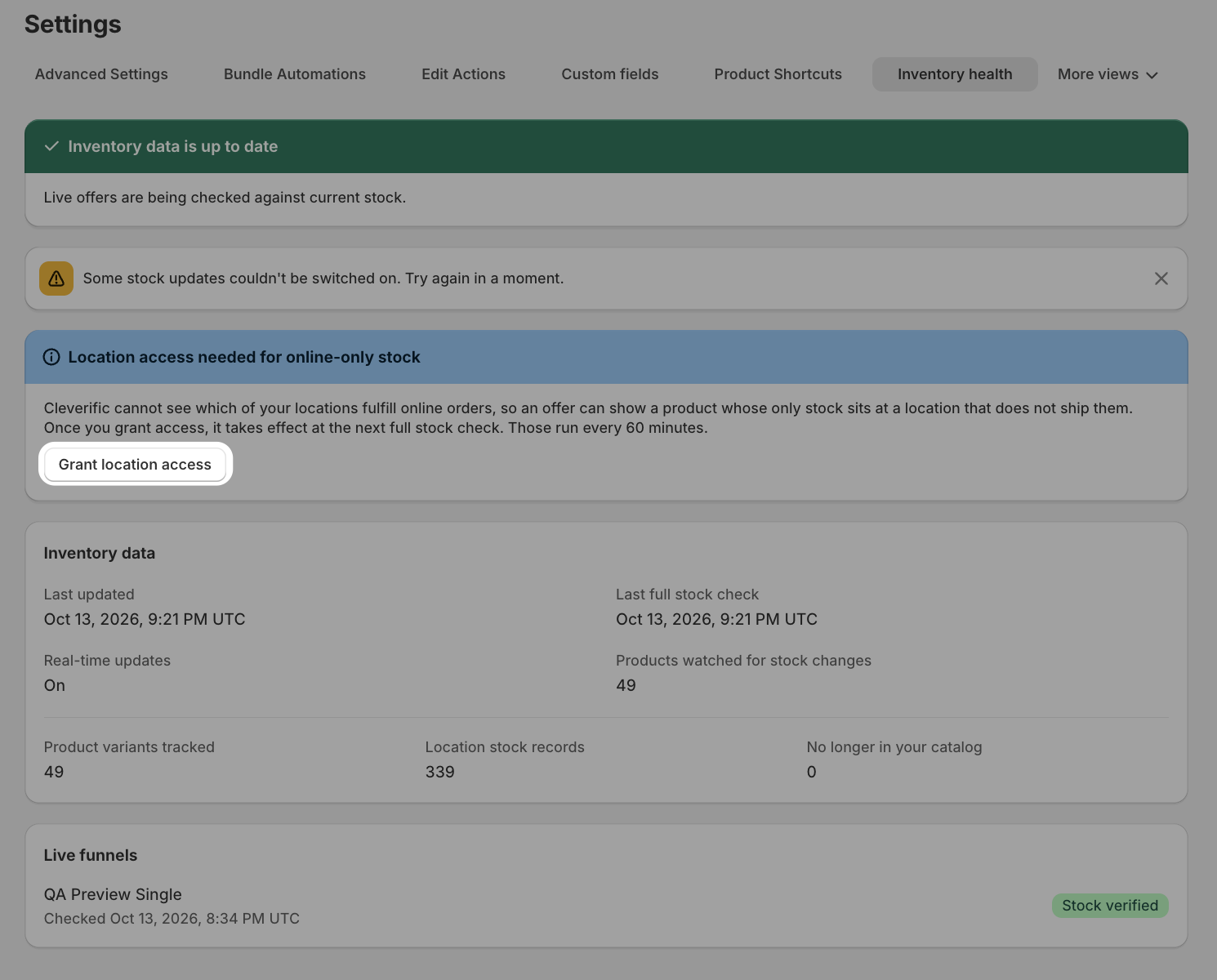
If a banner titled Location access needed for online-only stock appears, Cleverific can't tell which locations sell online, so online-only stock isn't taken into account. Click Grant location access and approve the Shopify prompt. A Location access granted message appears, and the banner goes away.
Read the status banner
The banner at the top of the page tells you whether live offers are working from current stock.
Inventory data is up to date (green): live offers are being checked against current stock.
Real-time updates are on, initial sync in progress (blue): Cleverific is still building the list of products to watch. The first full stock check fills it in.
Inventory data needs attention (red): one or more lines below the title explain what to fix, such as real-time updates not being enabled yet.
Review your inventory data
The Inventory data card shows when stock last changed and how much Cleverific is tracking. Timestamps are shown in UTC.
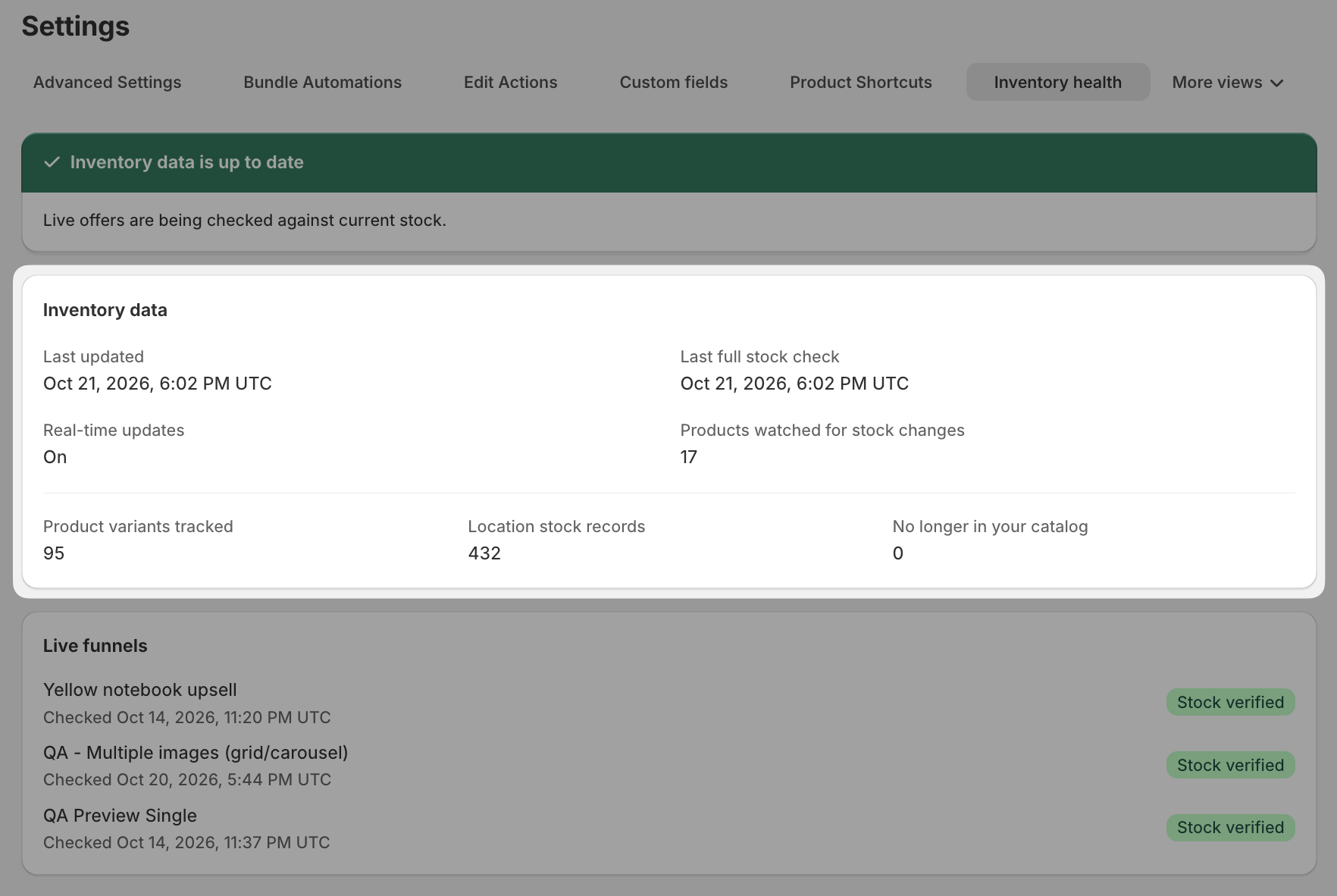
Last updated and Last full stock check: when stock data last changed and when the last complete check ran.
Real-time updates: whether stock changes reach Cleverific as they happen.
Products watched for stock changes: the products your running funnels can offer, rather than your whole catalog. The count changes as you activate, pause, or edit funnels.
Product variants tracked and Location stock records: the variants and per-location stock levels Cleverific holds.
No longer in your catalog: tracked products that no longer exist in your store.
Check each live funnel
Every funnel in the Live funnels card is listed with a badge showing the result of its stock check.
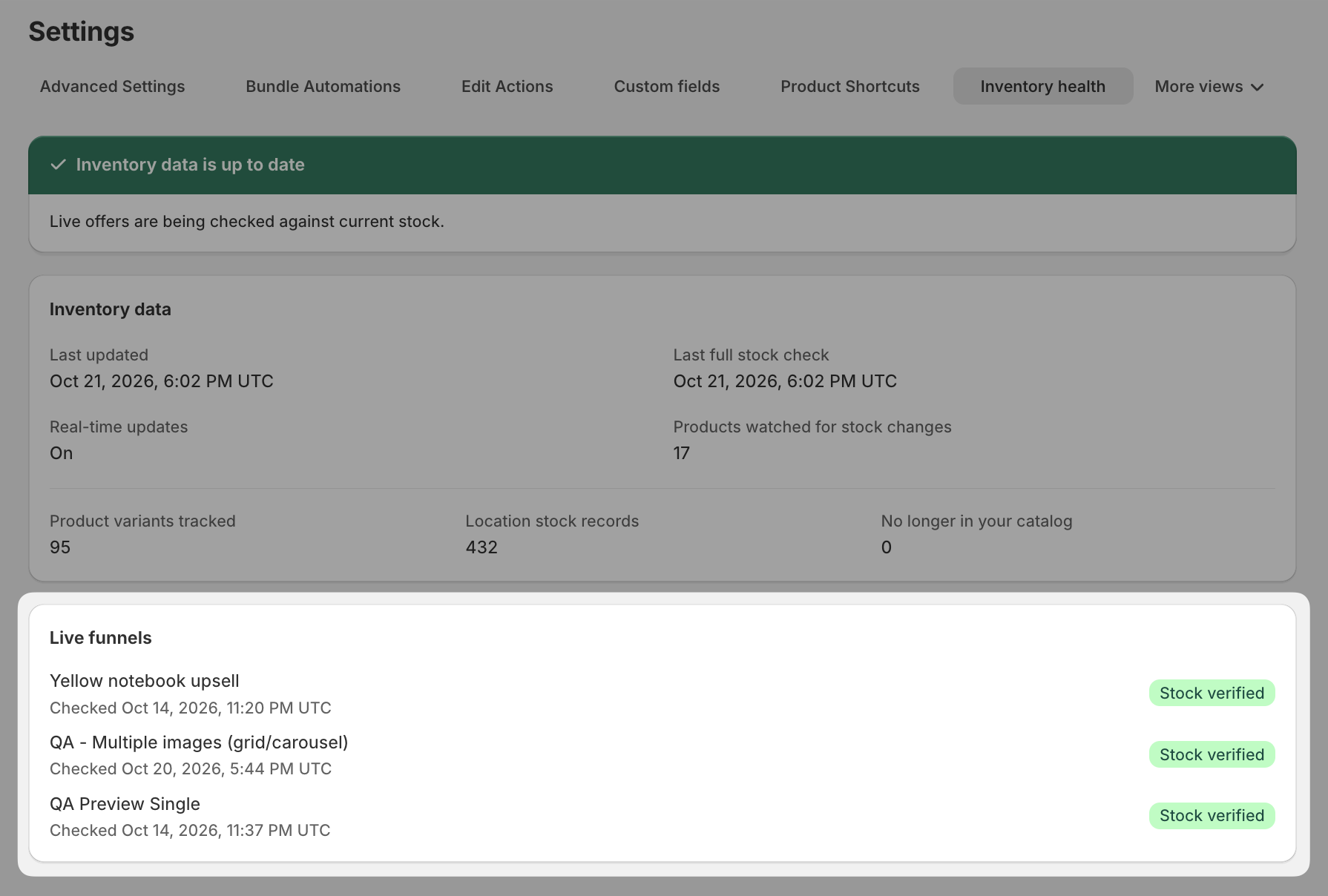
Stock verified: the funnel's offer products were found and checked.
Checking or Not checked yet: the check is still running. Reload the page after a moment.
Product not found: an offer in the funnel uses a product that isn't in your catalog.
When you activate or resume a funnel or change one of its offers, the funnel is checked again and shows Checking until it finishes.