

Pricing and Plans
Updated 2 weeks ago
In Cleverific, you pay one monthly price based on how many orders your store receives each billing cycle, with unlimited order edits and unlimited post-purchase upsells. There is no fee per converted upsell, and we offer a 14-day free trial. You can see all of our plans on the pricing page.
How billing works
Your base price covers your first tier of orders each billing cycle. If your orders pass a tier, we add the difference once, on your Shopify bill. Each new billing cycle starts again at the base price, so quieter months cost less.
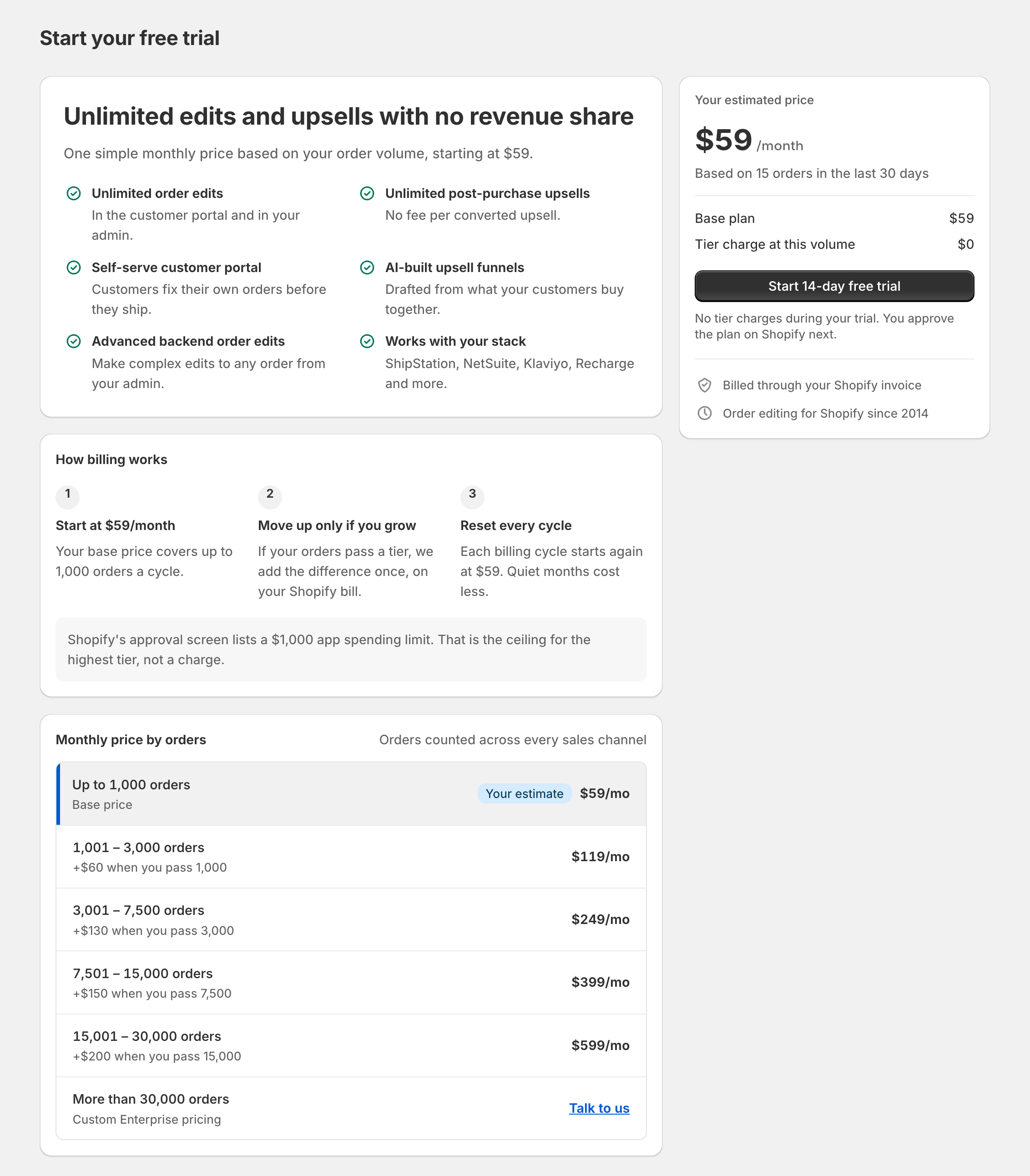
The plan page shows an estimate based on your store's order count from the last 30 days, along with the full price table. Stores above 30,000 orders per cycle get custom Enterprise pricing. You can start on the self-serve plan and talk to us at any time.
Start your free trial
Go to Apps > Cleverific. The plan page opens if your store doesn't have a plan yet.
Review the estimate and the price table.
Click Start 14-day free trial.
Approve the plan on Shopify's approval screen.
If you leave the approval screen without approving, the app shows "Your plan hasn't been approved yet" on your app's Dashboard with an Approve plan button that brings the Shopify approval screen back.
Check your plan and charges
Billing shows your volume plan and the price table. The billing card on the app home dashboard shows the plan too.
Go to Apps > Cleverific.
From the nav menu, click Billing.
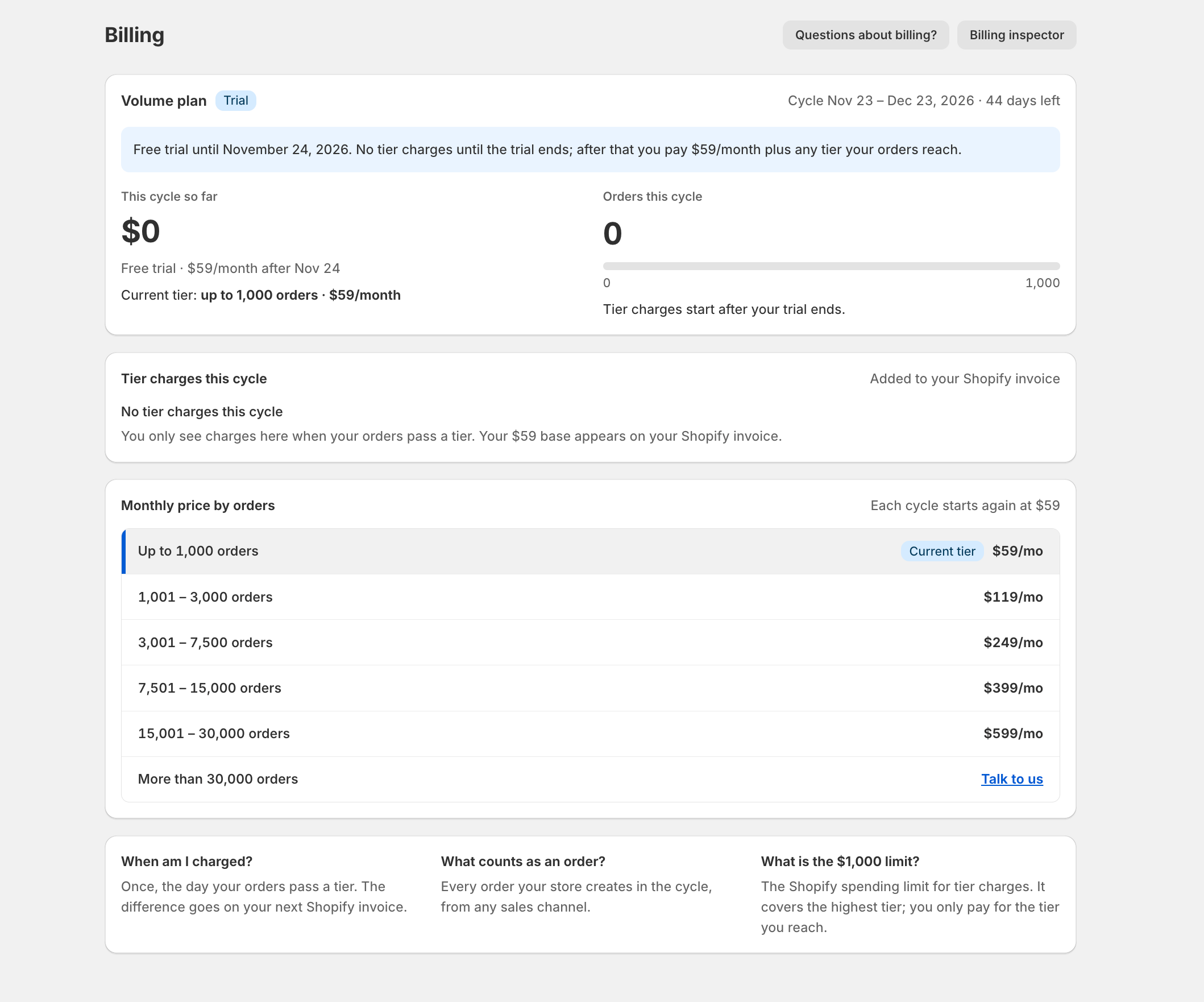
If you already have a plan
Stores that already have a plan stay on it, and your price doesn't change. Order-volume pricing applies to new installs and reinstalls. The pricing page lists the details of each plan.
Shopify's approval screen lists a $1,000 app spending limit. That is the ceiling for the highest tier, not a charge.