

Creating a new order with custom product pricing
Updated 2 weeks ago
Cleverific can be used to create a regular order with custom pricing. This article will show you how.
Customize line item pricing with Cleverific
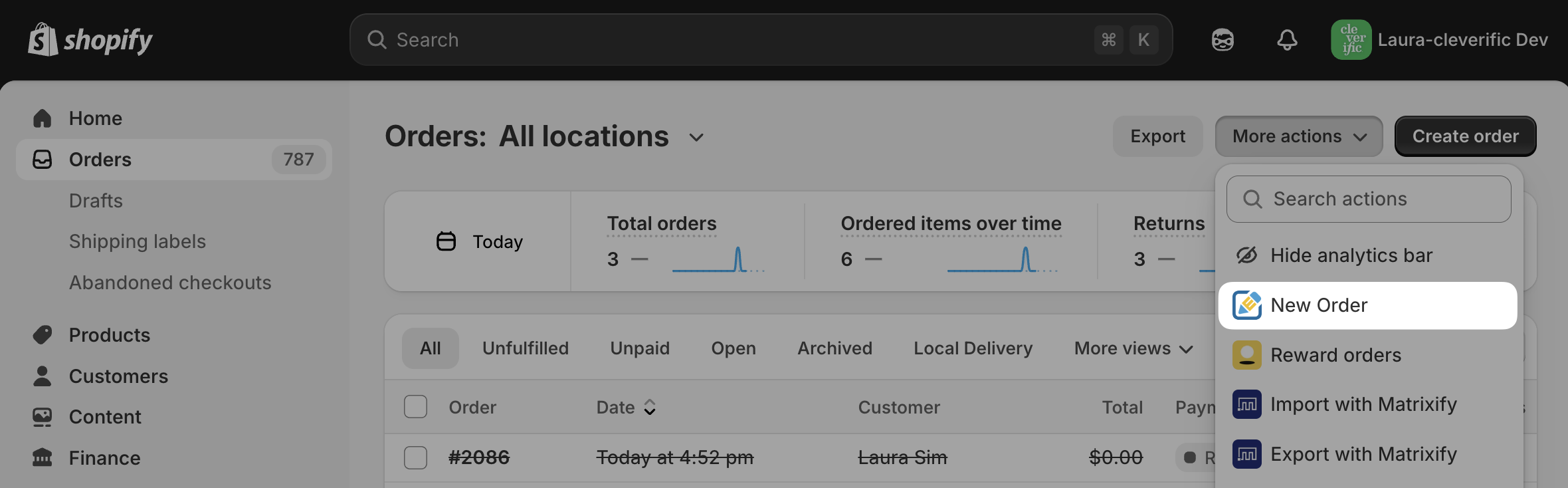
From the orders list in Shopify, click More Actions > New Order.
In your editor, under Customer, enter a customer.
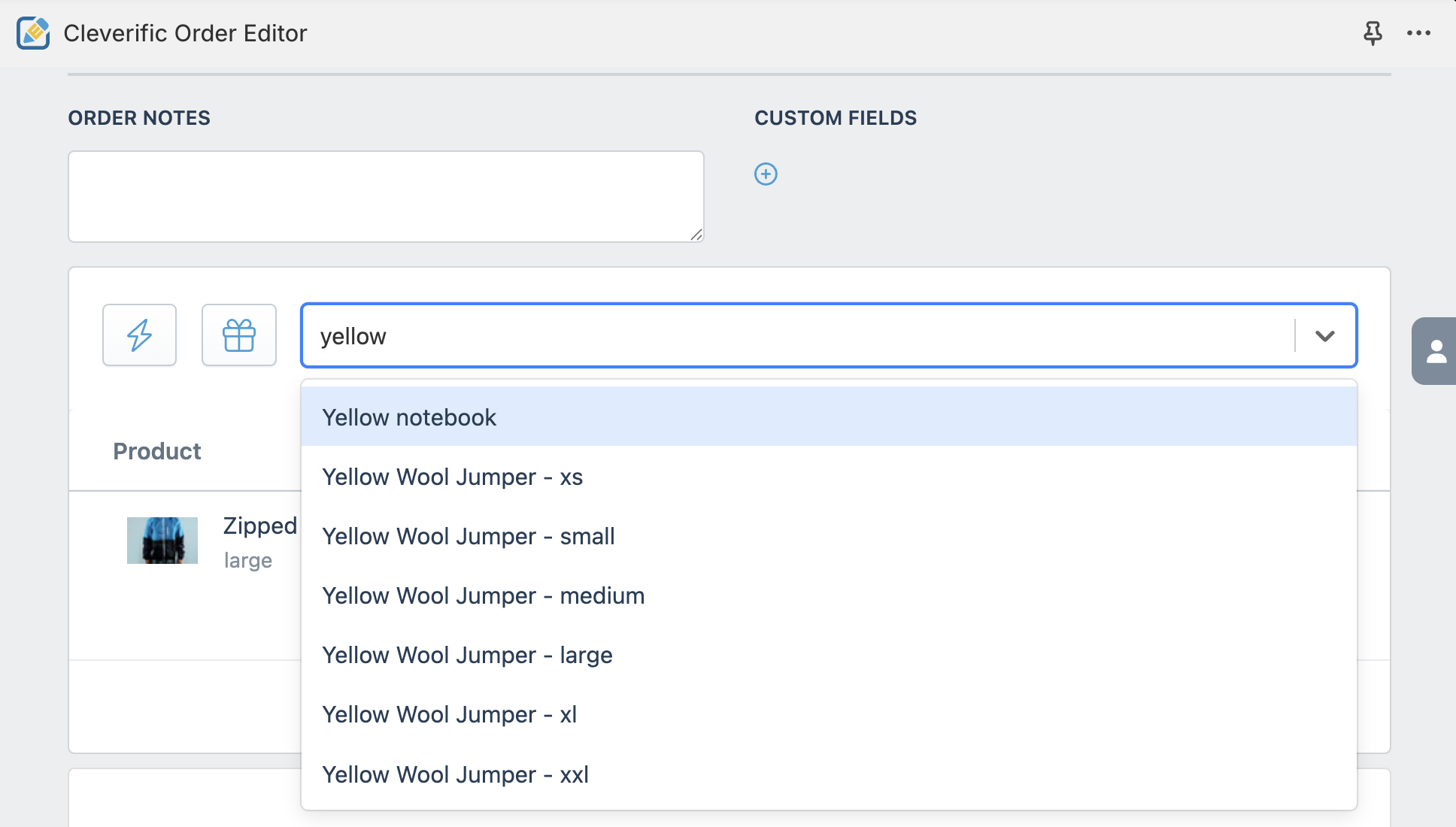
Use the search product bar to find products, and click the product to add it to the order.
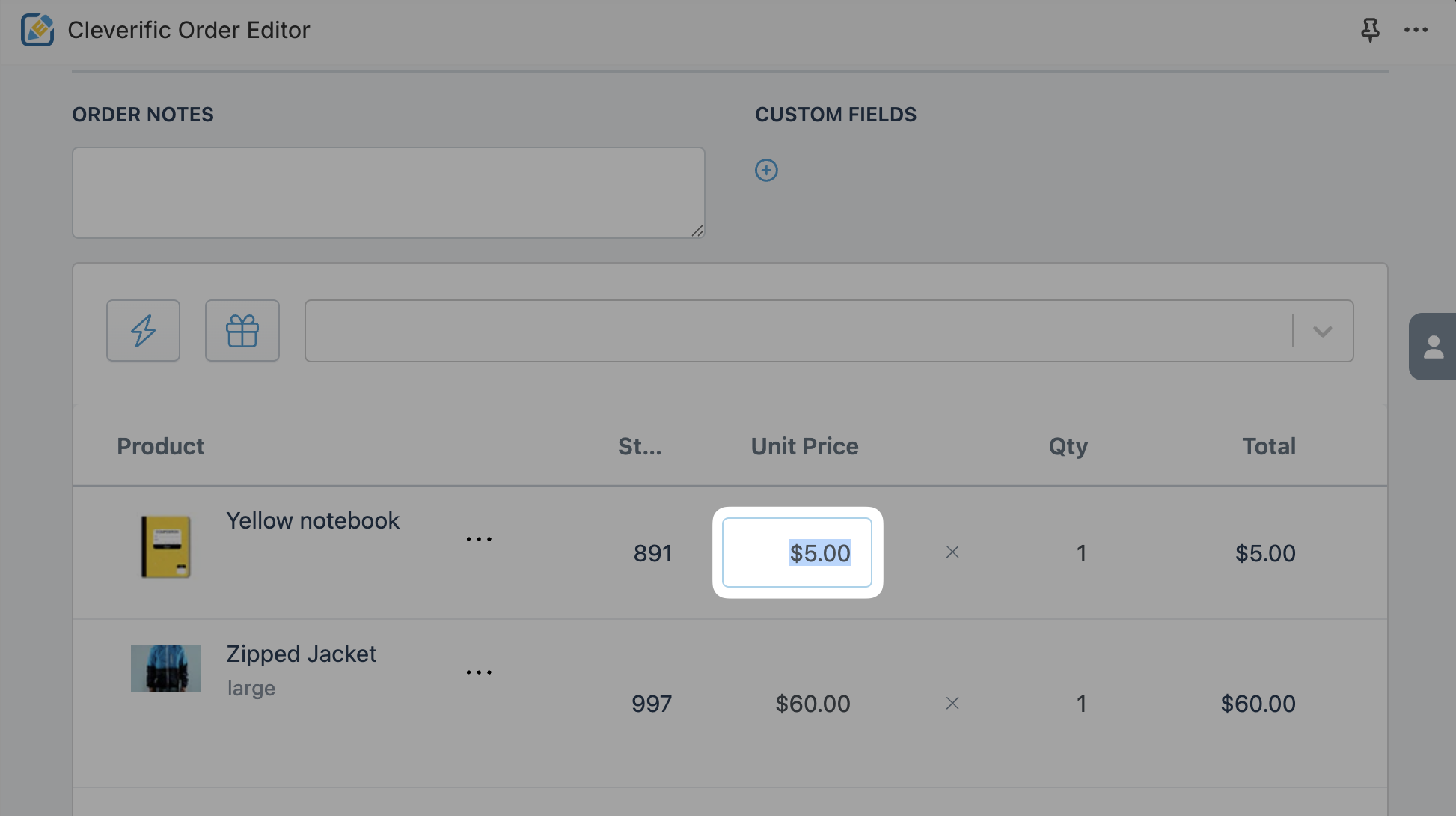
In the Unit Price column, click a product price to enter a custom price.
4. Click Save to create your new order.
Note: This will create a regular order and not a draft order.
Questions? Drop us a line at: support@cleverific.com
Was this helpful?
Was this helpful?