

Restricting international orders to cancellation-only in Customer Portal
Updated 2 months ago
In Cleverific, you can restrict orders shipping outside your shop's home country to cancellation only in Customer Portal. This is useful if a third-party provider, such as Global-e, handles checkout and fulfillment for your international orders and you don't want customers editing those orders through Cleverific. This setting is disabled by default.
Enable cancellation-only for international orders
Go to Apps > Cleverific.
From the nav menu, click Customer Portal.
Under Decide which orders can be edited, check the box labeled Only allow cancellation on orders shipping outside your shop's country. Cleverific fills in your shop's own country automatically.
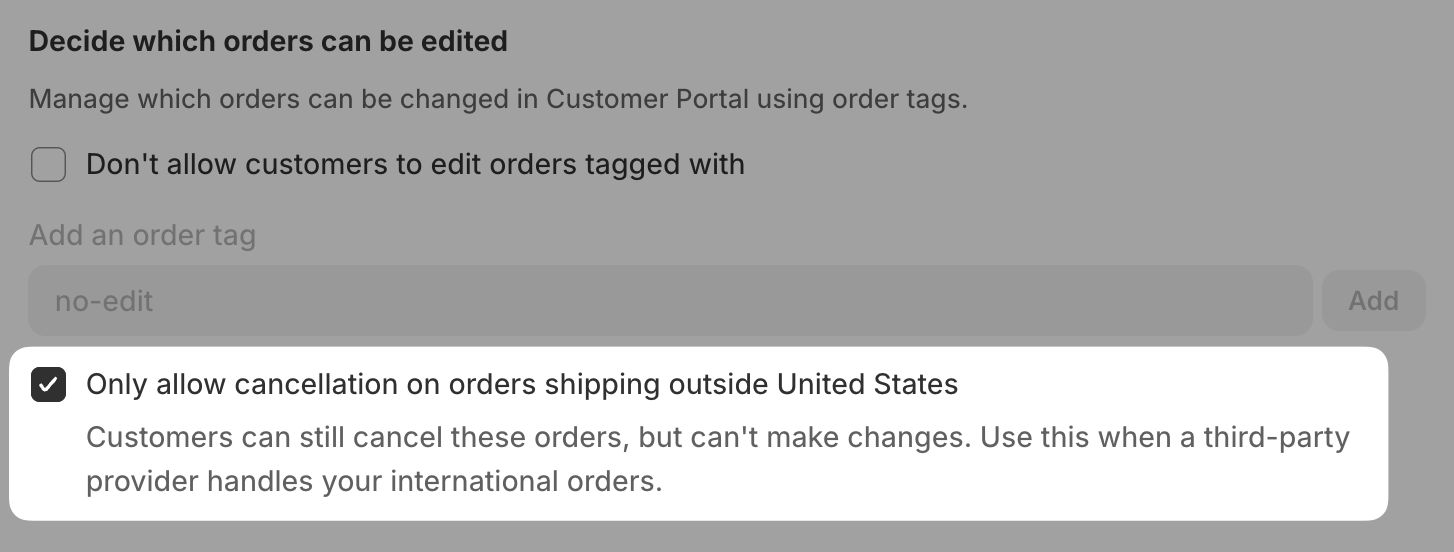
Click Save in the top bar.
Once enabled, domestic orders keep full editing access. Orders shipping to another country are limited to cancellation wherever the customer accesses them on the Order Status Page.
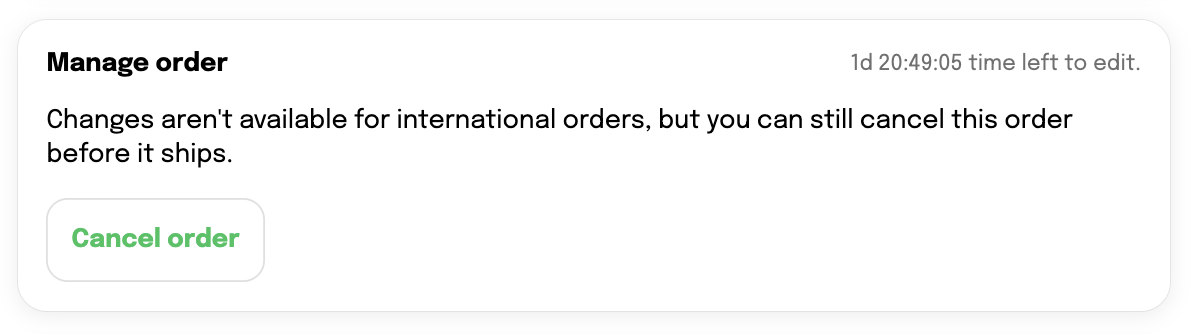
On the Order Status page, the cancellation-only block only appears after the customer logs in.
Known limitations
Upsell offers are hidden for multicurrency orders.
If an order has no shipping address, Cleverific treats it as domestic and allows full editing.