

Allowing shipping rate recalculation upon order edits in Customer Portal
Updated 2 months ago
In your Customer Portal settings, you can automatically allow shipping rates to be recalculated when customers edit their orders. This keeps shipping costs accurate when customers add or remove items, change quantities, or update their shipping address. This setting is disabled by default.
Note: This feature is only available in Customer Account Extensions. It is not supported in the Standalone version of Customer Portal (Change order block (New tab))
Requirements
To use this feature, your store needs:
Shipping rates set up in your Shopify Settings (Custom rates or carrier-calculated shipping rates). We support carrier services connected to your Shopify store, such as ShipWise or Intuitive Shipping
Customer Portal set up and enabled
Enable shipping rate recalculation
From your Shopify admin, go to Apps > Cleverific > Customer Portal .
Scroll to the section labeled Decide what changes customers can make.
Check the box next to Automatically recalculate shipping rates when order changes
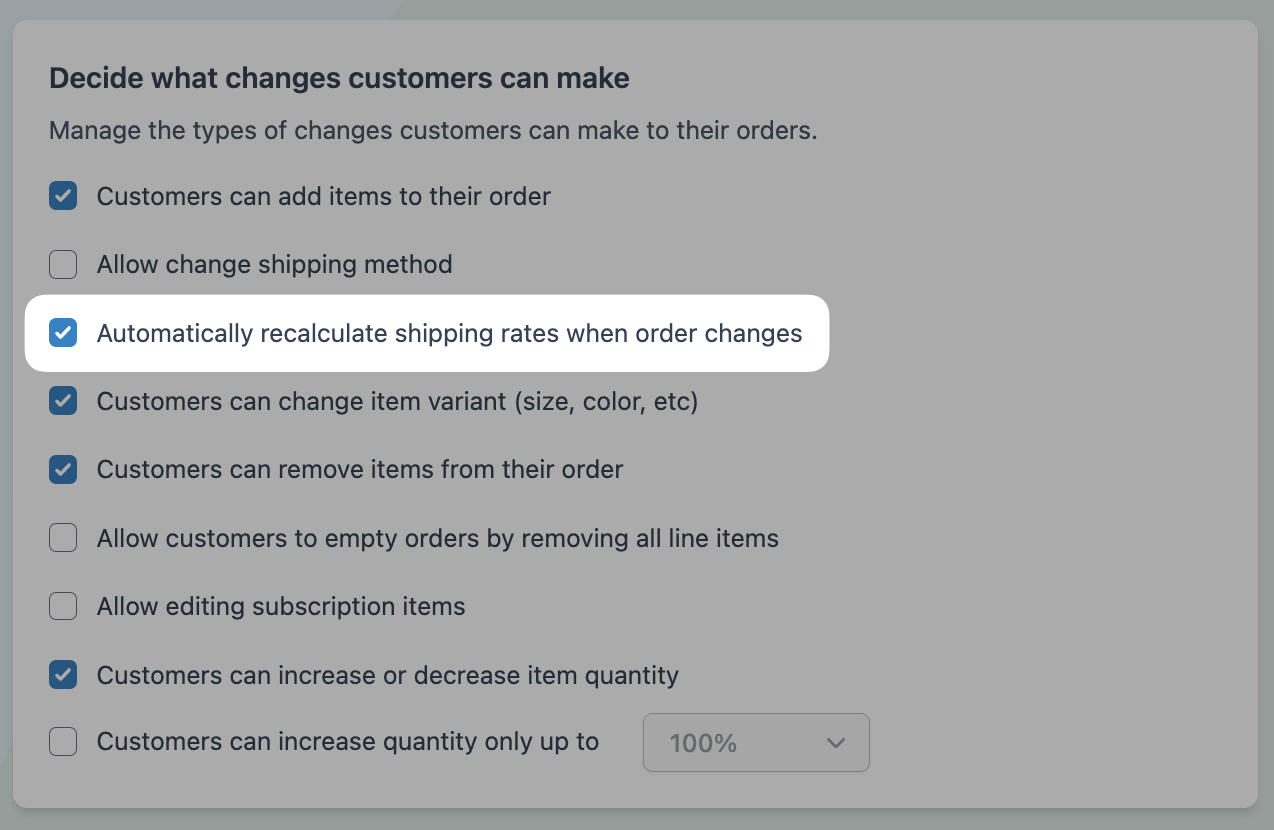
Your changes are automatically saved.
How it works
When a customer makes an edit that affects shipping costs, Customer Portal displays a modal comparing the original shipping rate to the new rate. The customer can then confirm the change or go back to continue editing without updating the shipping rate.
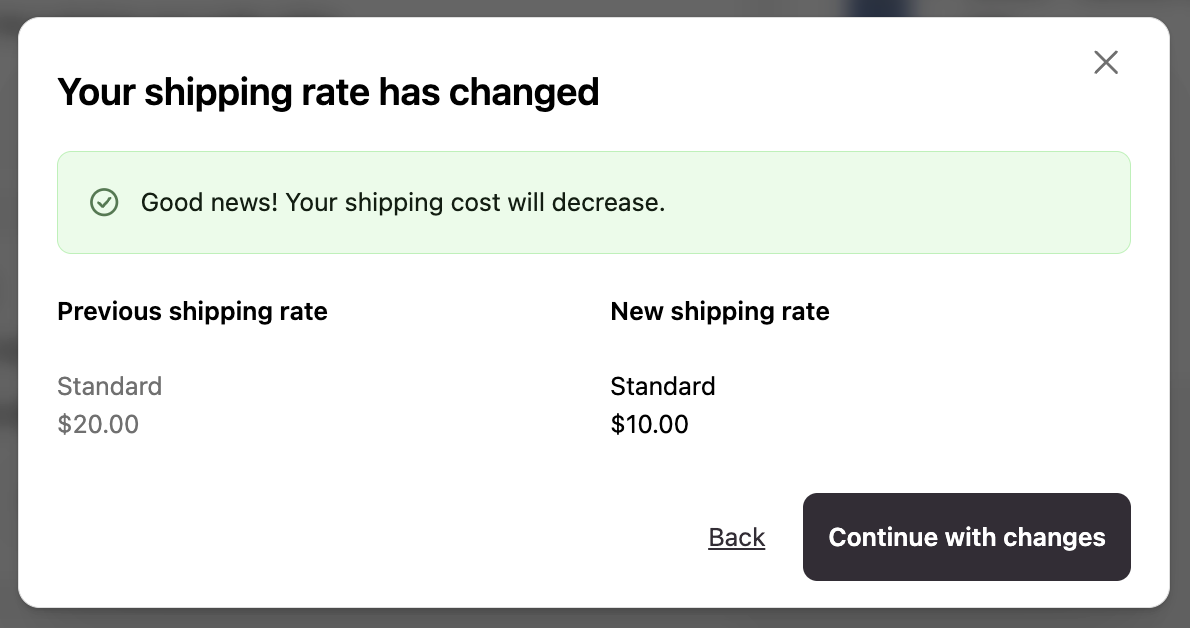
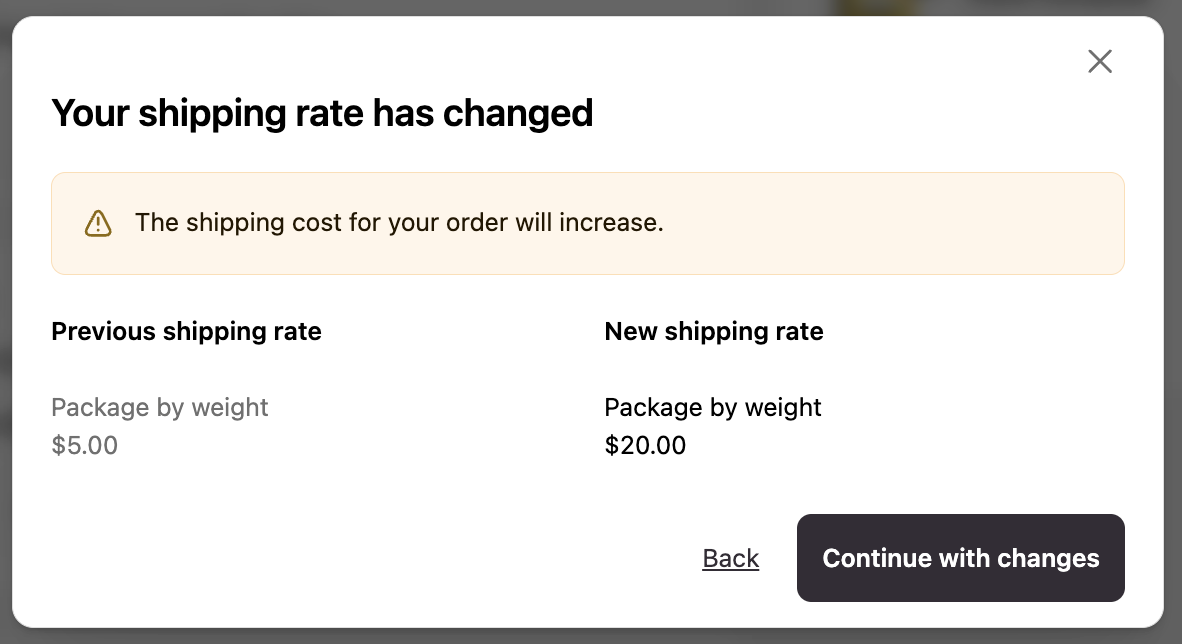
Shipping rates may recalculate when customers:
Add an item or increase a quantity, raising the order's weight or value
Remove an item or decrease a quantity, lowering the order's weight or value
Change the shipping address to a zone or region with different shipping rates
After the customer confirms the rate change, the updated shipping cost appears on the order in Shopify Admin.
Important notes
Rate recalculation only works when Shopify or the carrier service returns different rates based on the changes. Flat-rate shipping setups will not trigger a rate change.
The shipping method name must match between the original order and the available recalculated options. For example, if the original order used "Standard," Shopify or the carrier service must return a "Standard" option for recalculation to work.
If you disable this setting, customers can still edit orders, but shipping rates will not update. Edits proceed without a rate comparison modal.