

Tagging orders with a summary of the customer's changes in Customer Portal
Updated 2 months ago
In Cleverific, you can automatically tag an order with a short summary of the change a customer made in Customer Portal.
Enable the summary tag
Go to Apps > Cleverific.
From the nav menu, click Customer Portal.
Under Communication > Order activity, enable Tag orders with a summary of the customer's changes.
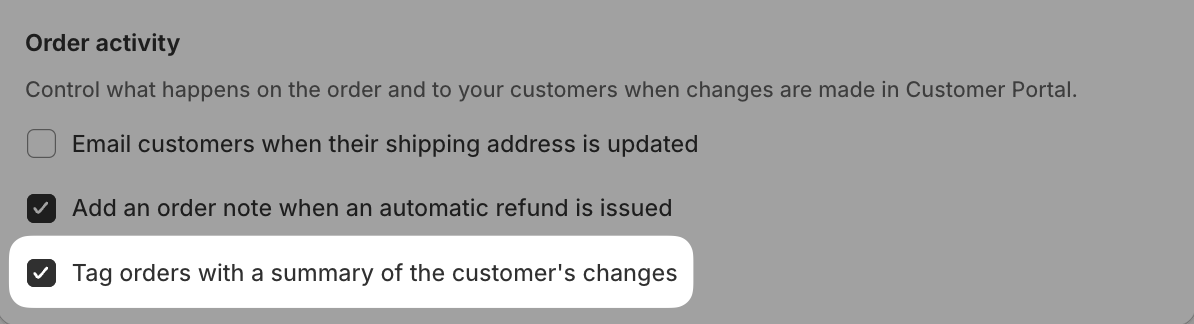
Click Save in the top bar.
Every customer edit also adds the base Edit Order - Edited by Customer tag, regardless of this setting.
Tags by customer action
The exact tag depends on what the customer changed:
Customer action | Tag added |
|---|---|
Increases a quantity | Cleverific: incr quantity by customer |
Decreases a quantity | Cleverific: decr quantity by customer |
Removes an item | Cleverific: remove item by customer |
Adds a new item | Cleverific: add new style by customer |
Adds an upsell offer | Cleverific: add upsell item by customer |
Changes a variant | Cleverific: variant changed by customer |
Replaces a product | Cleverific: item replaced by customer |
Changes variant and quantity together | Cleverific: var and qty edit by customer |
Updates the shipping address | Cleverific: ship addr edit by customer |
Updates the billing address | Cleverific: bill addr edit by customer |
Changes the shipping method | Cleverific: ship method edit by customer |
Cancels the order | Cleverific: order cancelled by customer |
Adds a discount code | Cleverific: discount code added by customer |
Adds a gift note | Cleverific: gift note added by customer |
Updates contact info | Cleverific: contact info edit by customer |