

Allowing automatic revert of unpaid edits in Customer Portal
Updated 2 months ago
In Cleverific, you can automatically revert unpaid edits made in Customer Portal. When a customer adds items, increases quantities, or upgrades variants but doesn't pay the outstanding balance within the revert window, the changes revert to prevent partially paid orders from being shipped. This is disabled by default.
Enabling automatic revert
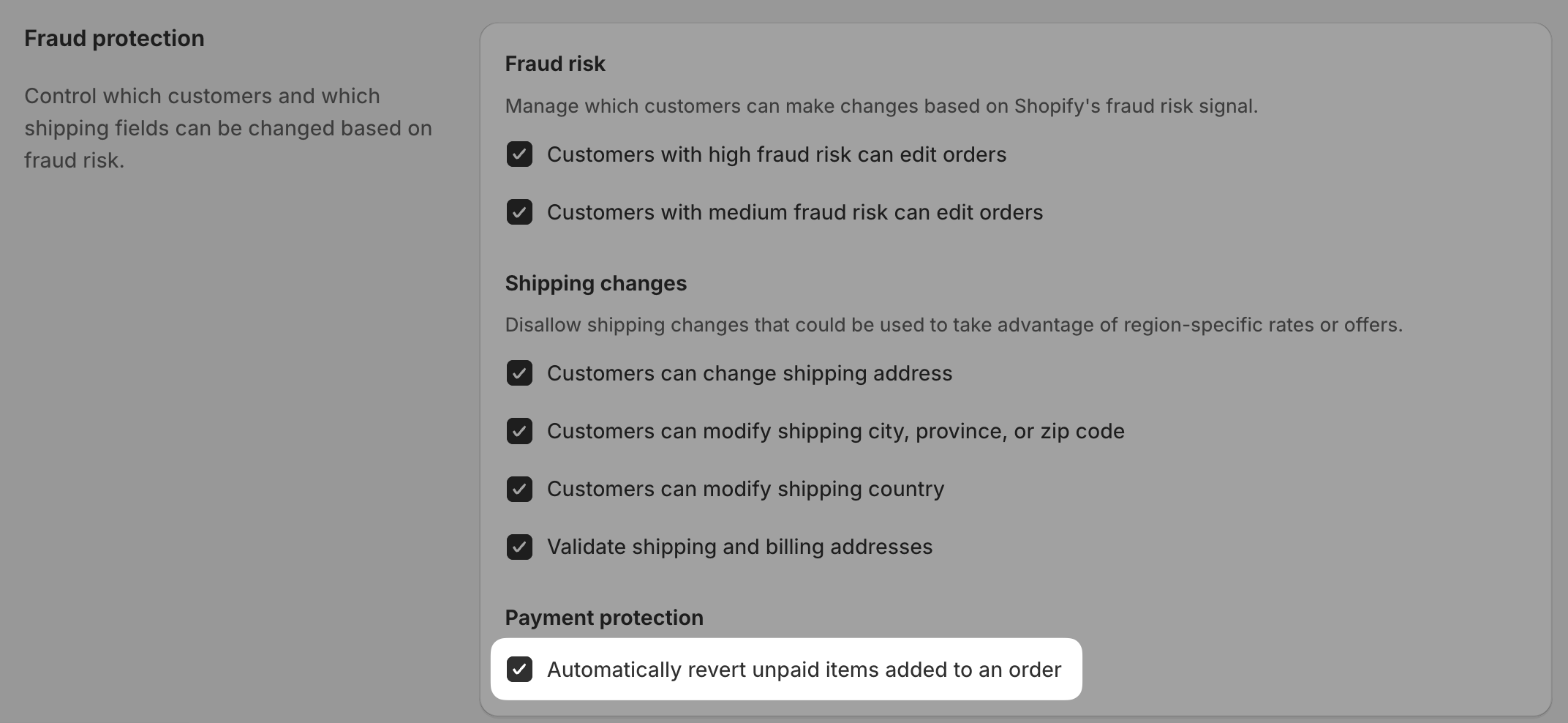
Go to Apps > Cleverific Order Editor > Customer Portal.
Navigate to the Fraud protection section.
Under Payment protection, check Automatically revert unpaid items added to an order.
Set up the automatic revert window
The revert window defaults to 30 minutes. If you'd like to customize it, email us at [email protected] and we'll allow that option for your store.
Go to Apps > Cleverific Order Editor > Customer Portal.
Navigate to the Customize order editing section.
Under Automatic revert, select your preferred time window from the dropdown.
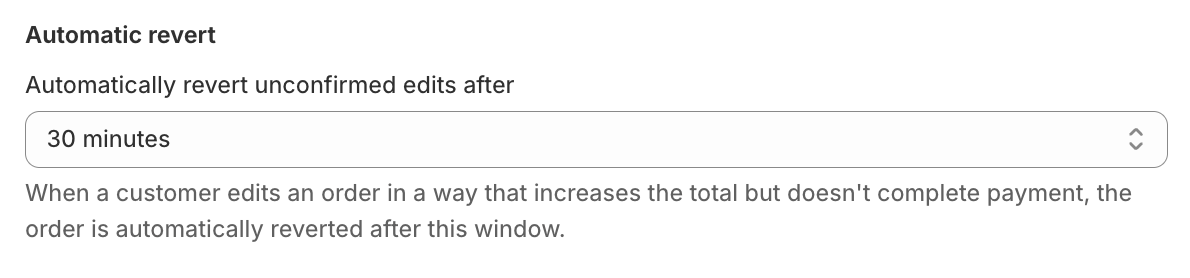
You can choose 30 minutes, 45 minutes, 60 minutes, or 2 hours. The default is 30 minutes.
How it works
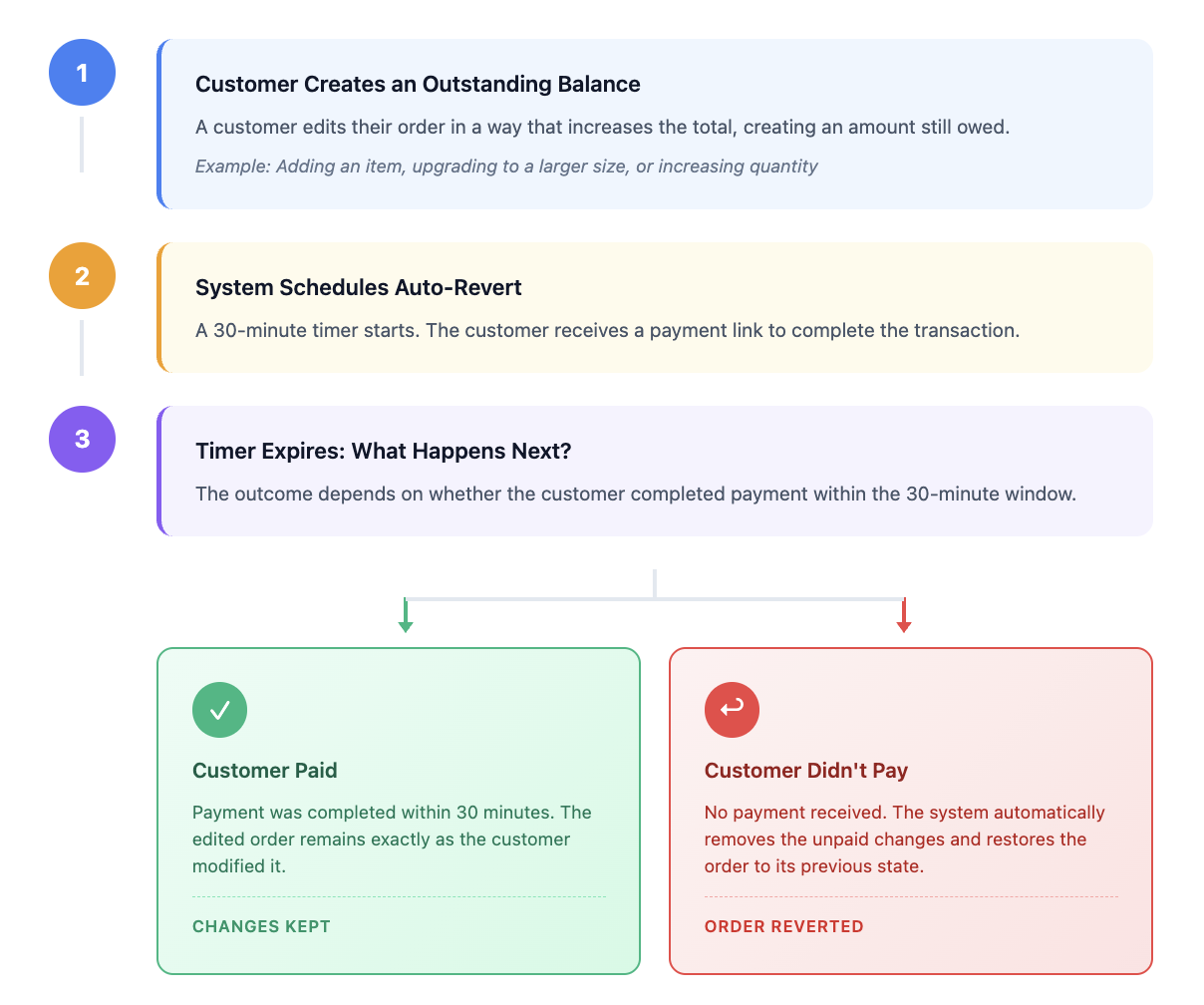
If the customer makes additional edits before the revert window ends, any pending auto-revert is cancelled, and a new countdown begins. When the revert runs, it processes all unpaid additions from all edits made during that window.
Note: If an edit involves both adding an item and removing another (where the added item costs more), and the customer doesn't pay in time, only the unpaid addition is removed. The item the customer originally removed will not be restored.
In other words, the order won't fully revert to its original state in this scenario.
What gets reverted
Any edits made in Customer Portal that lead to an outstanding amount will get reverted once the window passes.
Added line items
Quantity increases
Variant upgrades
Shipping rates
What doesn't get reverted
If the edits made in Customer Portal lead to a refund due or an even exchange, no revert action will take place.
Removed items
Quantity decreases
Variant downgrades
Notes
Reverts are processed every 10 minutes, so the actual revert may occur slightly after the window ends.
A revert will not run if the order has been cancelled or if the edit was already manually reverted.