

Introduction to order editing in Advanced Mode
Updated 2 months ago
Cleverific has two editing modes: Quick Mode and Advanced Mode. This article will cover what Advanced Mode is, the types of edits available, and its limitations.
What is Advanced Mode?
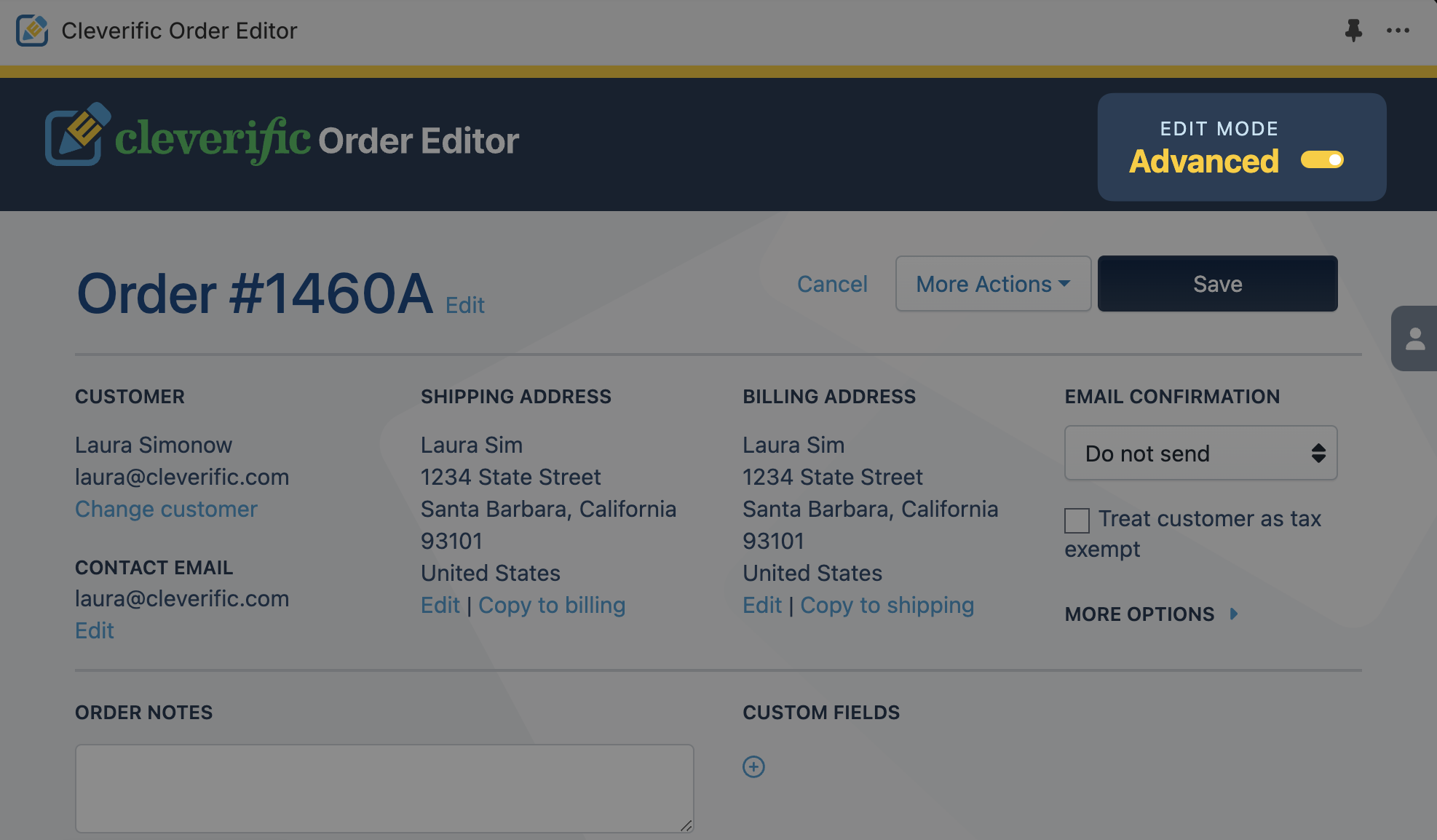
When you edit an order in Advanced Mode, the original order is cancelled and superseded by a "save as" edited version. This allows you to perform a wider range of edits, such as billing address editing, and bypass certain Shopify platform limitations.
Edits available in Advanced Mode
If you want to edit more complex orders such as custom orders, wholesale orders, or subscription boxes, Advanced Mode provides editing options that neither Shopify or Quick Mode covers.
Edits only available in Advanced Mode
Change shipping address
Increase product pricing
Add or modify line item properties (product options)
Change billing address
Add order discounts
Switch customer
Add a custom item with product options
Treat customer as tax-exempt on order
Change order date
Modify tax rates
Re-order of line items
Advanced Mode also supports all edits available in Quick Mode
Add product discounts
Exchange a product variant in-line
Modify/upgrade shipping cost or speed
Add/remove/modify custom fields
Add and remove items
Change product quantity
Add custom items
Update order notes
Change contact email address
Charge additional amount with payment requests
Other features you can access in Advanced Mode
Make edits to orders between customer authorization and payment capture
Add groups of saved products to orders in two clicks.
Automatically refund your customer after the first edit
Save email templates for Payment Requests
See full product SKUs when you search for products
Limitations
Due to Shopify platform limitations, Cleverific uses a workaround to perform certain edits that aren’t currently possible in Shopify. Advanced Mode cancels the original order and uses a "save-as" method to override limitations on an edited order. This means that Advanced Mode will create an additional "save-as" order when your edits are saved, which will affect your sales reports.
See this article to learn how to filter out canceled orders from your sales reports.
Next: