

Hiding out-of-stock variants from the variant picker in Customer Portal
Updated 2 months ago
In Cleverific, you can hide out-of-stock variants from the variant picker customers use to change an item's variant on an existing order in Customer Portal.
Enable Hide out-of-stock variants
Go to Apps > Cleverific.
From the nav menu, click Customer Portal.
Under Allowed changes, make sure Customers can change item variant (size, color, etc) is enabled.
Enable Hide out-of-stock variants from the variant picker.
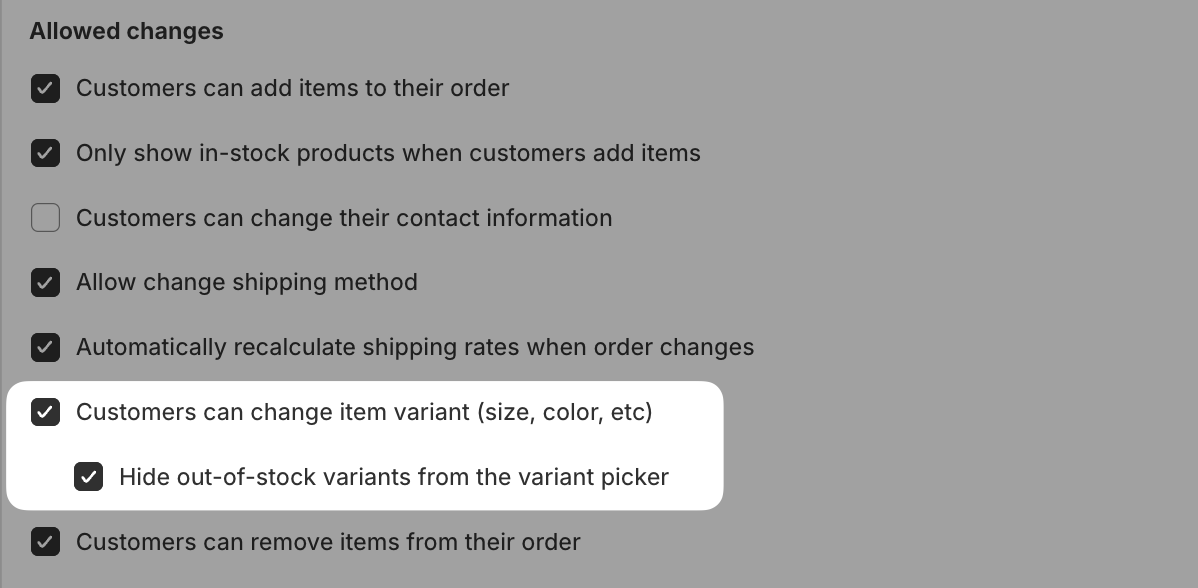
Click Save in the top bar.
Hide out-of-stock variants is only available when Customers can change item variant is enabled.
How it works
Variants priced at $0 are always excluded from the picker, regardless of this setting. When this setting is enabled, out-of-stock variants are also removed from the list, except the line item's current variant, which stays selectable even if it has since sold out.
This only affects the variant picker for changing an existing line item's variant. It doesn't filter product search when a customer adds a new item or replaces a product.