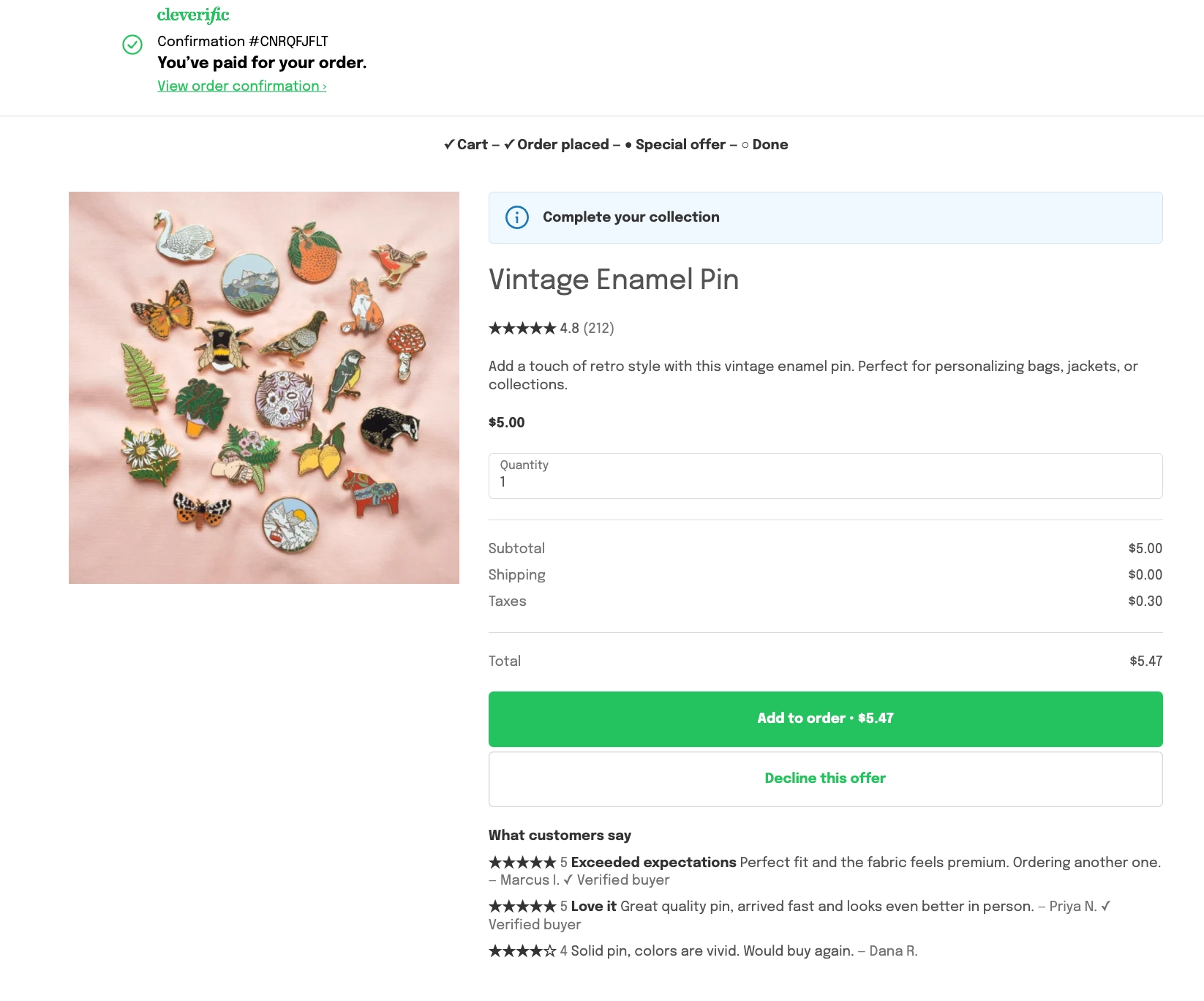
Showing customer reviews on a post-purchase offer
Updated 3 weeks ago
In Cleverific, you can show up to three customer reviews directly on a product offer, so shoppers read real feedback without tapping to open it. This is disabled by default and is set per offer. Reviews come from your review app automatically, with nothing to write yourself.
This article explains how to enable the block, the display options, and when it stays hidden.
Before you start
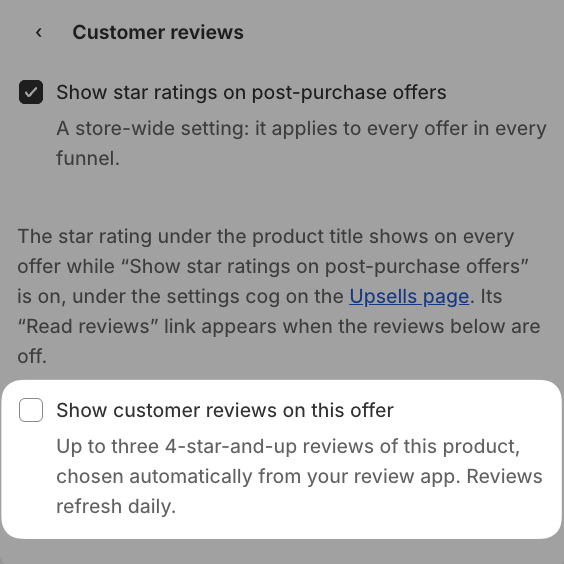
Customer reviews use the same data as star ratings, so Show star ratings on post-purchase offers must be enabled first. You can enable it from the Customer reviews section itself. See Showing star ratings on post-purchase offers for the setup and the review apps it supports.
Show reviews on an offer
Go to Apps > Cleverific.
From the nav menu, click Upsells.
Open the funnel, then click Design. For an overview of the funnel editor, see Building and previewing an upsell funnel.
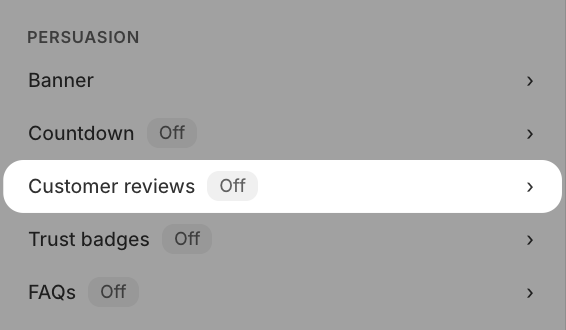
In the left panel, under Persuasion, click Customer reviews
Enable Show customer reviews on this offer.
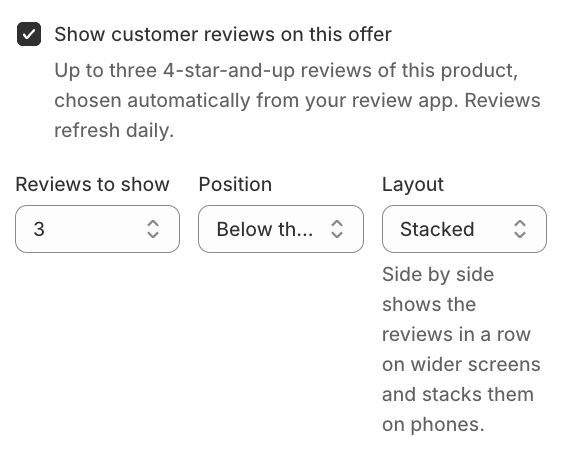
Choose Reviews to show (1, 2, or 3), a Position (Below the offer or Above the offer), and a Layout (Stacked or Side by side).
Click Save in the top bar.
The block only appears when the product has a rating of 4 stars or higher and at least one written review. Check the preview under the settings before you save: it shows the exact reviews customers will see, or tells you why the block will stay hidden.
How it works
Cleverific picks reviews rated 4 stars or higher automatically, and they refresh daily.
If your review app only shares star ratings and not the review text, the preview tells you so, and the block doesn't show.
Side by side shows reviews in a row on wider screens and stacks them on phones. With only one review, it always shows stacked.
Customer reviews are only available on product offers. Grid and Carousel funnels, which show a collection, don't have this option.
What your customers see
A What customers say block appears below or above the offer, with each review's stars, text, and the reviewer's first name and last initial. Reviews from verified purchases carry a Verified buyer label. When the block is enabled, it replaces the collapsed Read reviews link on that offer.