

Showing star ratings on post-purchase offers
Updated 3 weeks ago
In Cleverific, you can show star ratings from your review app on post-purchase offers. This setting is disabled by default.
How it works
Ratings
Cleverific reads the standard reviews.rating and reviews.rating_count metafields Shopify review apps write to your products, so there's no provider to select and nothing else to connect for the rating itself. This works automatically with Okendo, Yotpo, Judge.me and Loox.
Quoted review
Quoted review will be displayed if you use Yotpo, Judge.me, or Loox.
Okendo doesn't support review snippets by design, only star ratings. Cleverific doesn't support quoted reviews from Reviews.io.
For quoted reviews, Loox works differently from the others: instead of reading a Shopify metafield, it needs its own integration connected. See Connecting Loox to Cleverific for the setup steps.
Quoted reviews below 4 stars
Only reviews rated 4 stars or higher are eligible to appear as a quoted snippet. The star rating itself always shows regardless of score, this threshold only affects which reviews get quoted, and it isn't merchant-configurable.
Ratings update
Ratings refresh automatically roughly every 20 hours. If your review app writes a new rating to a product between refreshes, Cleverific won't pick it up until the next cycle.
Enable star ratings
Enabling this setting doesn't apply instantly. Cleverific queues a review backfill in the background, so ratings can take a little while to first appear on your offers.
Go to Apps > Cleverific.
From the nav menu, click Upsells.
Click Design. For an overview of the funnel editor, see Building and previewing an upsell funnel.
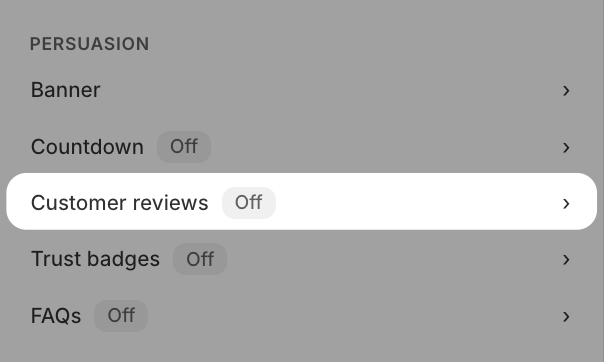
Navigate to Persuasion > Customer reviews.
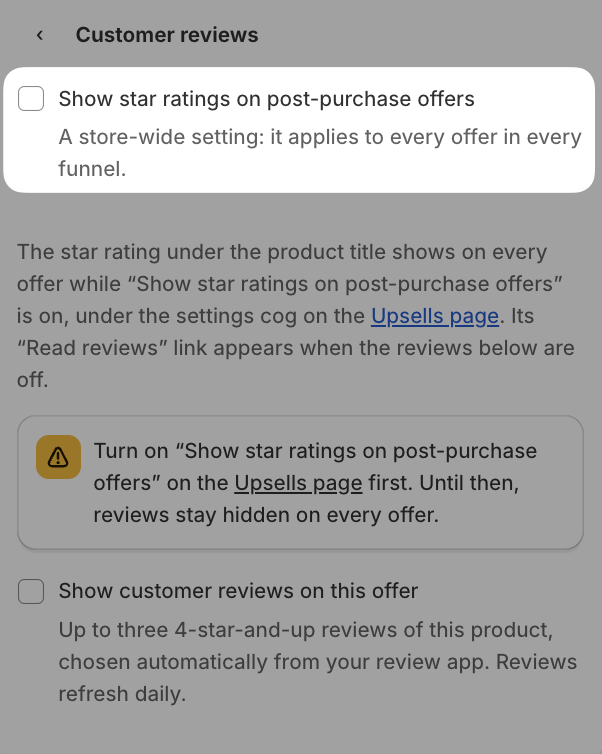
Enable Show star ratings on post-purchase offers
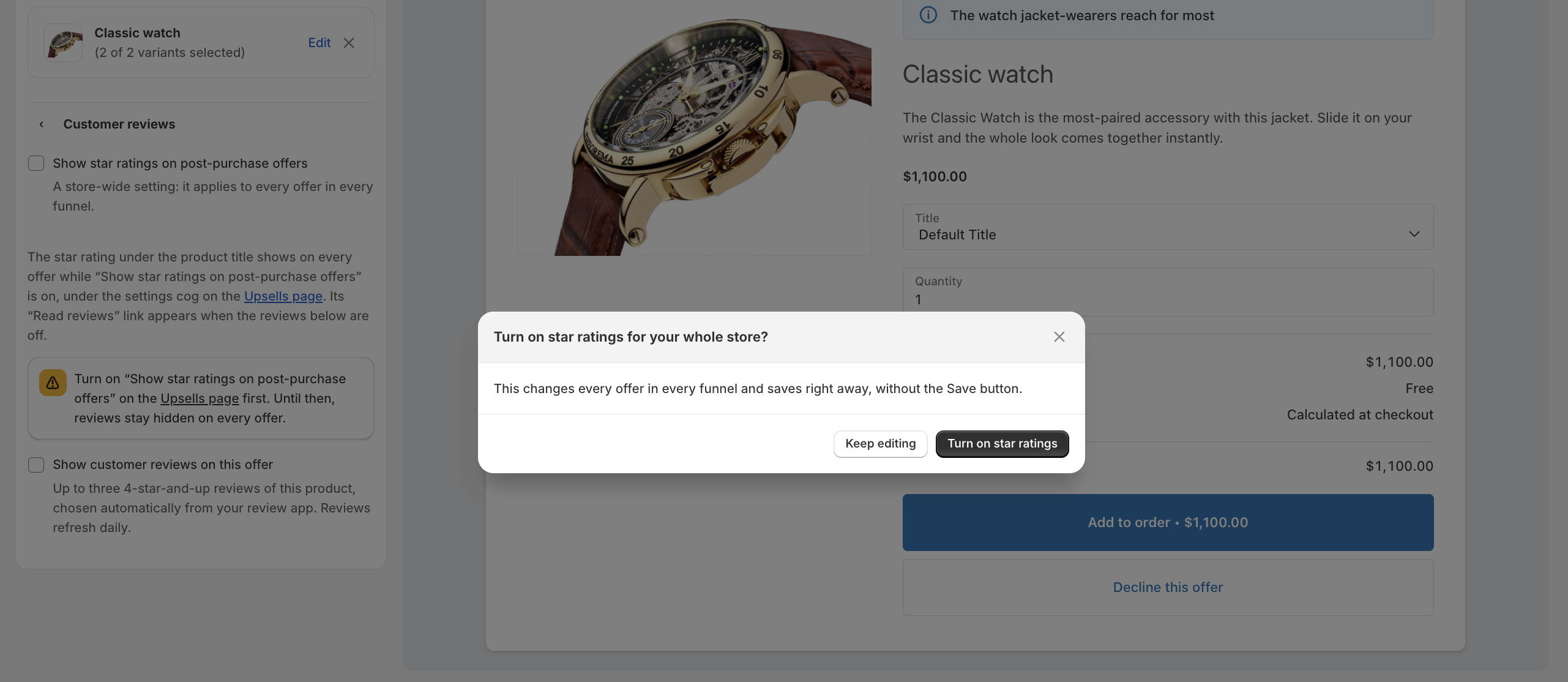
Click Turn on star ratings.
Turning the setting off immediately wipes all stored review data shop-wide, including archived offers. Turning it back on re-backfills the reviews' data.
What customers see
On a post-purchase offer with a rating, the star row will show filled and hollow star glyphs alongside the numeric rating, for example, ★★★★★ 4.7 (1,092).
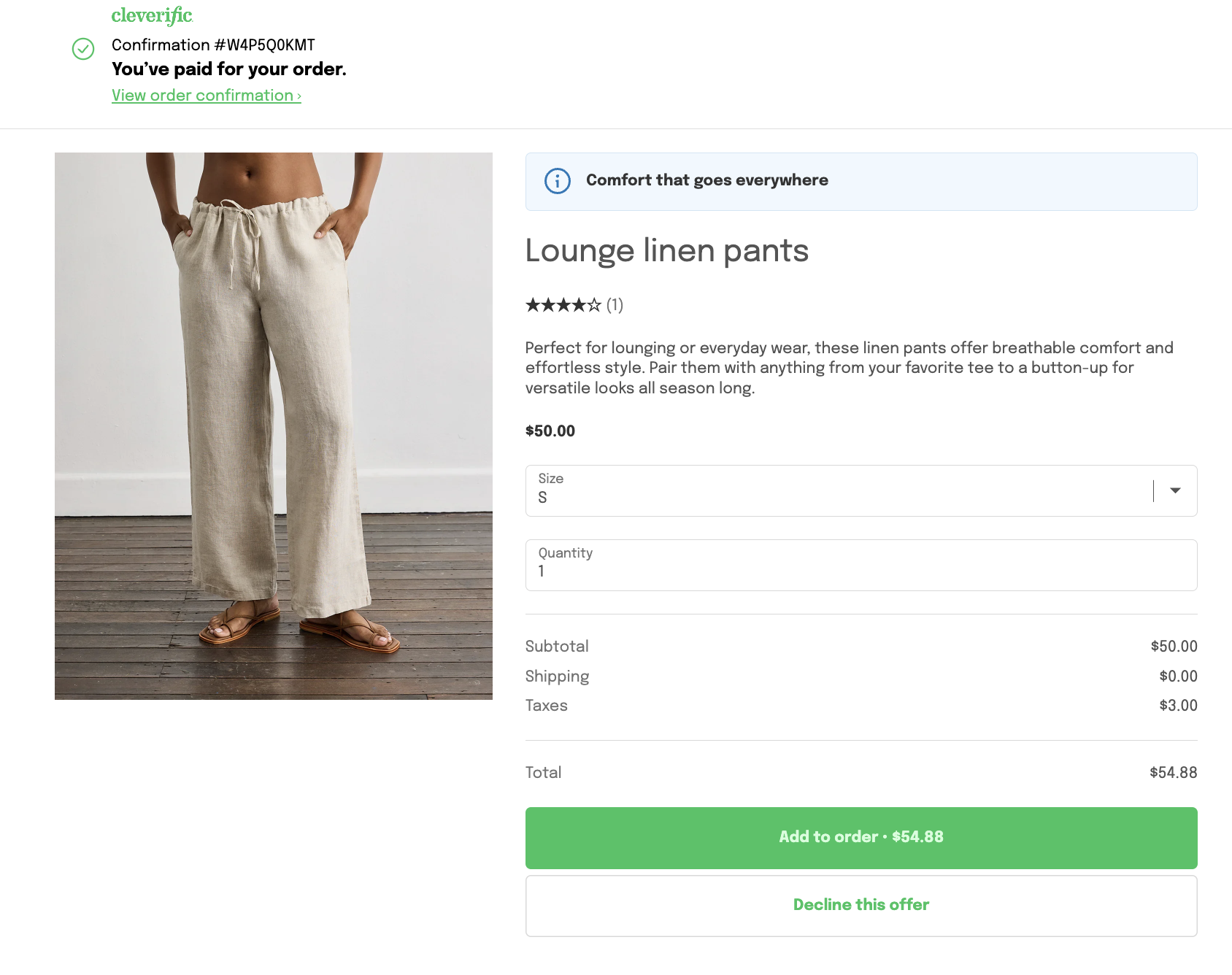
If the product has a rating but no review count, only the stars and numeral show; nothing appears in place of the count. Products with no usable rating show no star row at all, not a blank space.
When quoted reviews are available, a Read reviews link appears next to the rating. Tapping it reveals up to three short review snippets; tapping Hide reviews collapses them again.
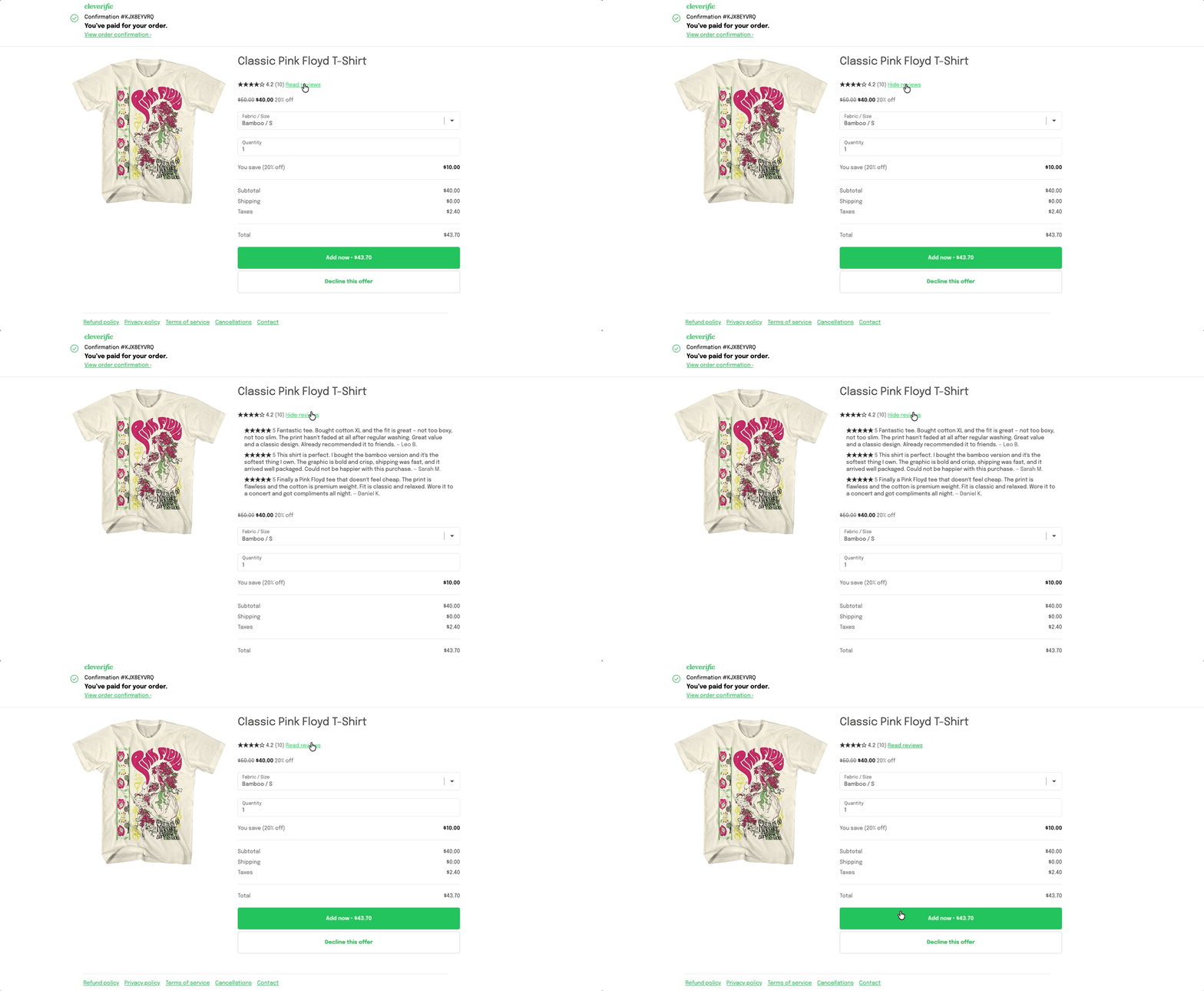
Each reviewer is shown as a first name and last initial only, never a full name, email, or order details, and a merchant's reply to a review is never shown.