

Customizing the 1-click Upsells Post Purchase page's UI
Updated 3 weeks ago
In Cleverific, you can customize some components of your post-purchase page when you set up your upsell funnels. This article covers what you can customize yourself, what comes from your Shopify checkout branding, and what our team can set up for you.
What Shopify controls
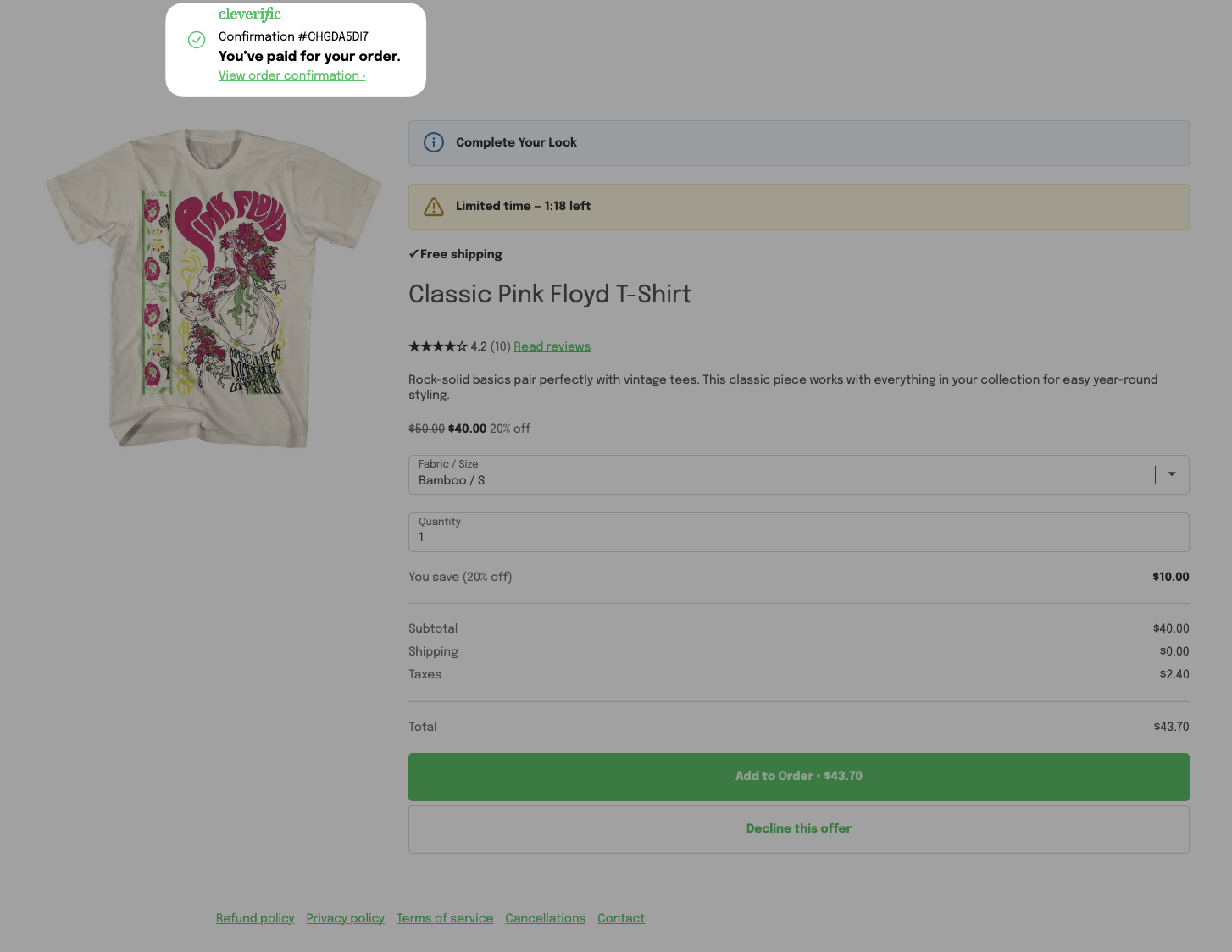
Header area
The top of the page, with your confirmation number, "You've paid for your order," and your store logo, belongs to Shopify's native post-purchase page. Its text and layout can't be changed.
Fonts and primary colors
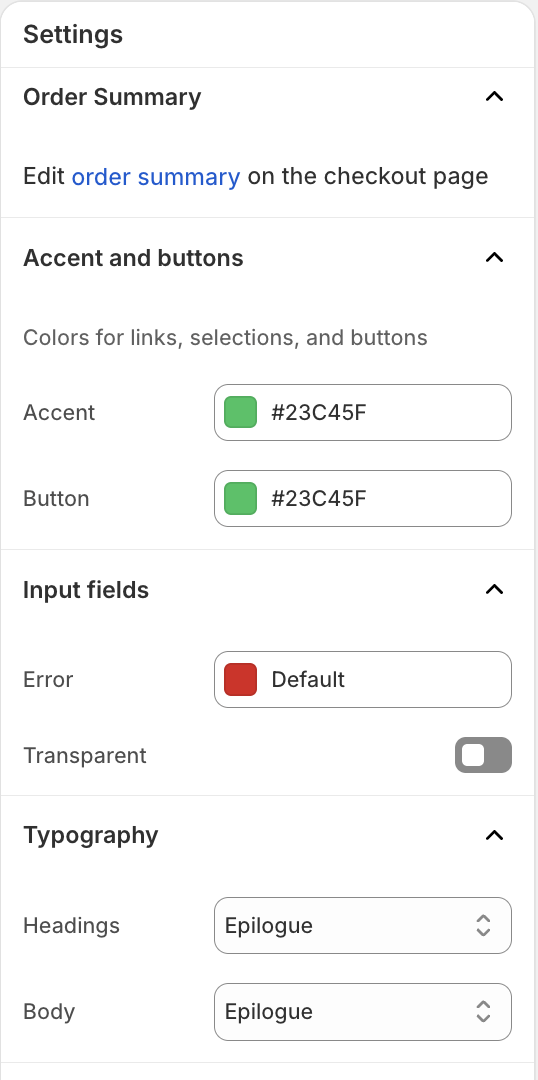
Your fonts and primary button colors come from your Shopify's Checkout theme.
To change your checkout branding, you can:
In Shopify Admin, go to Settings > Checkout > Edit
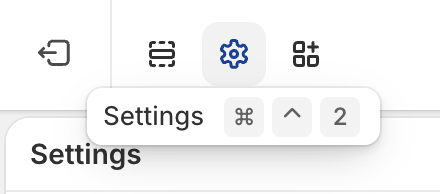
On the top left of the Checkout editor, click the gear icon
Confirm your fonts and button colors match your brand.
On Shopify Plus, click Use my checkout branding in Design to preview the page with your checkout branding.
Customize your offer
Each offer's content is set from the funnel's Design page.
From your Shopify admin, go to Apps > Cleverific.
Click Upsells and open the funnel that contains the offer you want to edit.
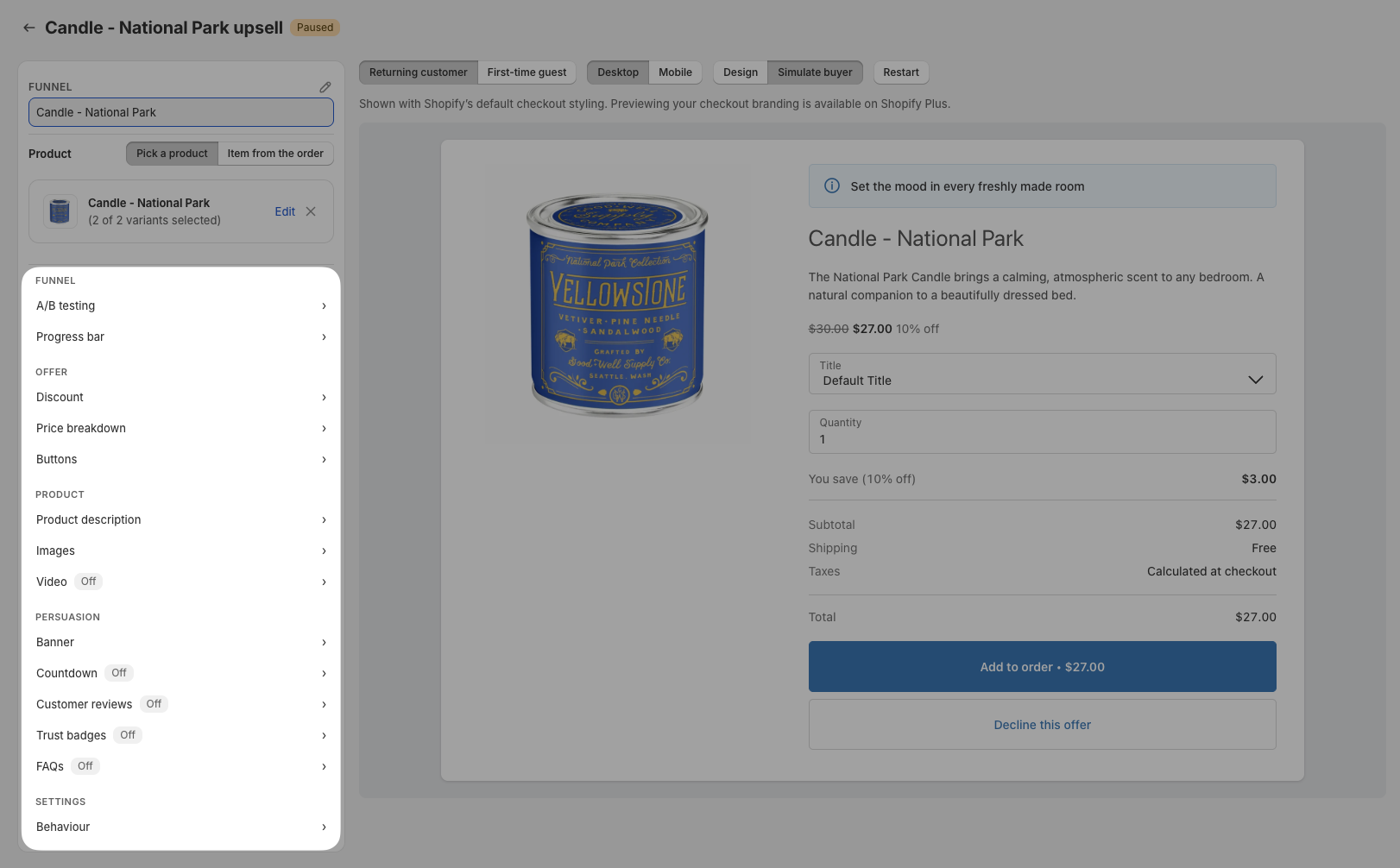
Click Design. For an overview of the funnel editor, see Building and previewing an upsell funnel. In the left panel, you can click any section under its group to open it and customize your offer.
Customizable fields
Offer
Free shipping (under Discount): shows a "Free shipping" badge on the offer. Post-purchase items never add a separate shipping charge, with or without this badge.
CTA text (under Buttons): the label on the accept button. By default, the price is added after your text, for example, "Add to Order • $54.88." To place the price somewhere else, add {price} where you want it, for example, "Pay {price} now."
Extra buy button (under Buttons): repeats the accept button above or below the offer, so customers on a phone don't have to scroll to it. It is disabled by default. See Repeating the buy button on a post-purchase offer.
Product
Product description (under Product description): a short paragraph about the product, shown below the banner.
Show multiple product images (under Images): shows a row of product photos customers can browse. See Showing multiple product images on a post-purchase offer.
Badges (under Images): adds up to 2 image badges, such as a Bestseller sticker or your own logo. See Adding image badges to a post-purchase offer.
Video (under Video): adds a video to the offer. See Adding a video to a post-purchase offer.
Persuasion
Banner text (under Banner): the message shown above the product, for example, "Complete Your Look." Click "Regenerate copy" to have Cleverific draft new banner text, CTA text, and product description for you. You can also format the text and choose a banner style. See Styling and formatting the banner on a post-purchase offer.
Banner description (under Banner): a short line shown under the banner text. It supports the same formatting.
Show a countdown timer (under Countdown): shows a countdown on the offer. Set its length in minutes and seconds, add your own timer text, and choose what happens at 0:00. It is disabled by default. See Customizing the countdown timer on a post-purchase offer.
Trust badges (under Trust badges): adds short reassurance labels under the offer's buttons, such as "Secure Payments" or "30-Day Guarantee," each with an icon and an optional sentence. They are empty by default. See Adding trust badges to a post-purchase offer.
Progress bar
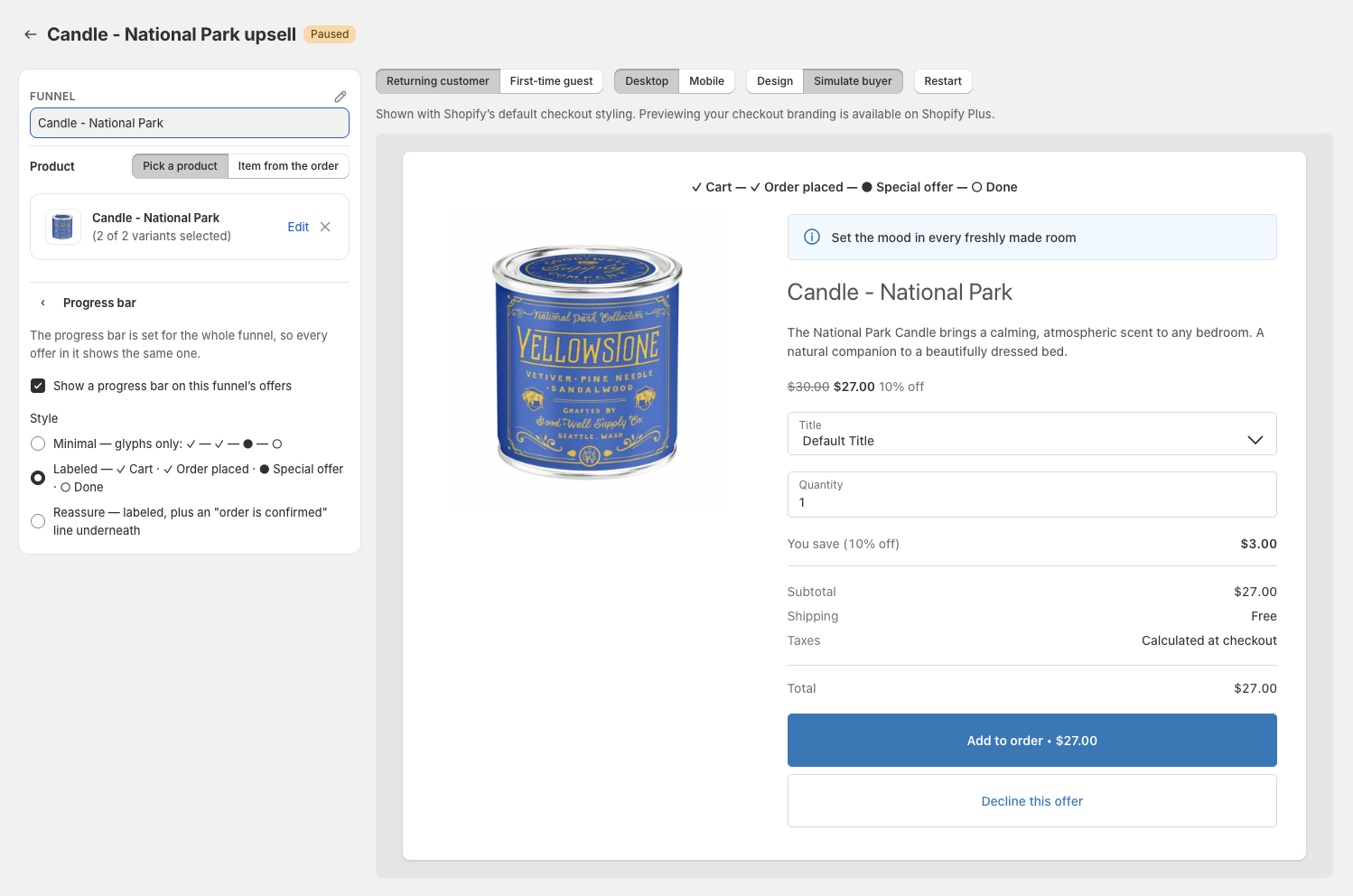
A progress bar at the top of every offer page shows customers that their order is already placed. It is set once for the whole funnel, from the funnel's Design page, under Funnel > Progress bar, and is enabled by default on new funnels. Cleverific asks you to confirm a change and saves it right away. You can choose from three styles:
Minimal: checkmarks and dots only, with no step names.
Labeled: the step names Cart, Order placed, Special offer, and Done.
Reassure: the Labeled bar, plus a line underneath confirming the order is placed and won't change unless they accept the offer.
You can read more about this feature here: Showing a progress bar on post-purchase offer pages.
Reviews
Star ratings pull automatically from whichever review app you already have installed, sorted highest first.
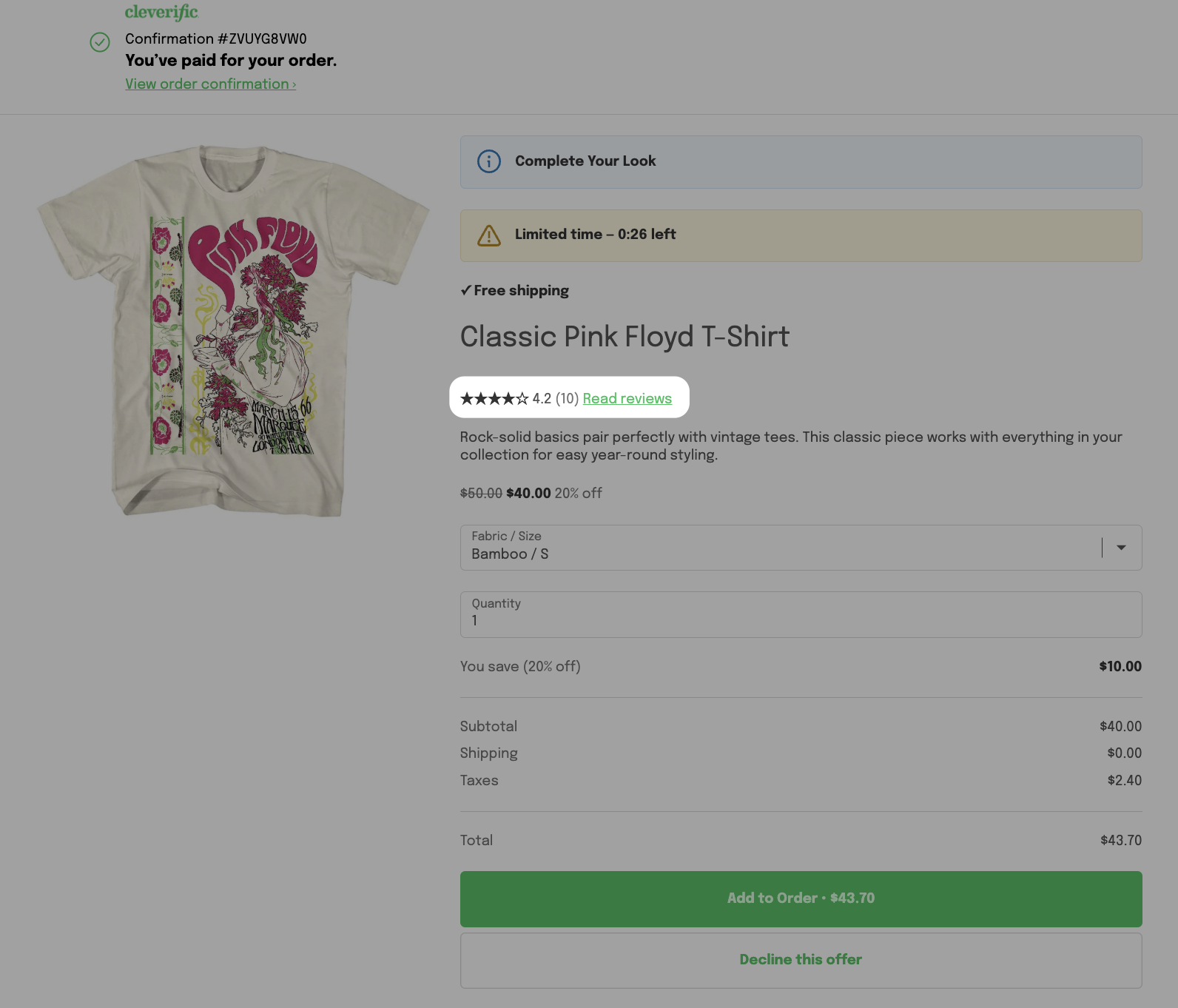
You can read more about how to enable star ratings display from your third-party app here.
Customization upon request
Our team can make changes to the following:
Shop banner under Shopify's header area
Timer background color and icon
A banner that spans the full width of the page instead of sitting above the offer
A custom background image behind your product images
Feel free to email us at [email protected] if you'd like any of these customized.